To view and securely share your blood glucose results and
health trend information in the Patterns
®
app, you must pair
the POGO Automatic Meter with your smartphone.
Before pairing, download the Patterns app at the Apple and
Android app stores. Or use your iPhone or Android camera to
scan below.
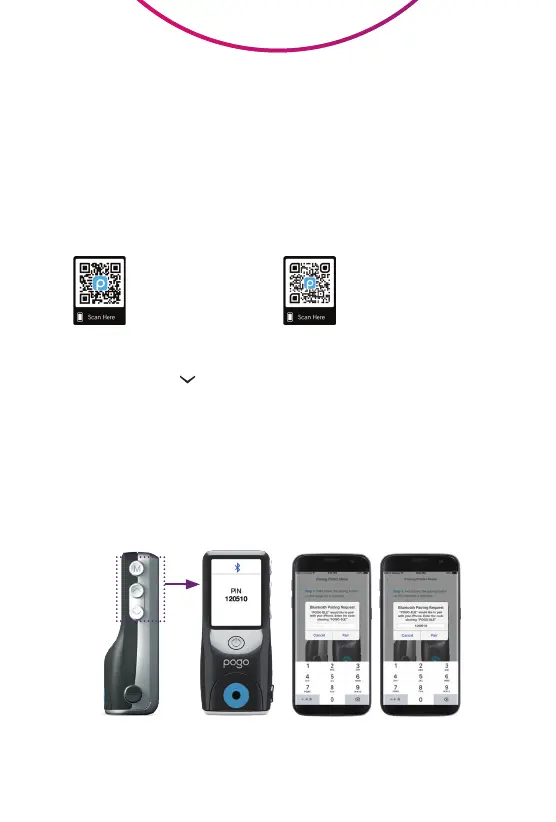
Hold button
down for code
Enter code
into phone
Conrm “Pair” to
complete pairing
Pair POGO Automatic
®
With Your Phone
How to Pair
Step 1: Push the button for 4 seconds.
Step 2: Enter the 6-digit code shown on the meter into your
smartphone when prompted.
Step 3: Press “Pair” on phone to conrm. Your POGO Automatic
Meter and phone should now be connected for automatic
transfer of your results.
For Bluetooth pairing help, consult
your POGO Automatic Owner’s Manual.
SCAN HERE
to download the FREE
Patterns Mobile App
SCAN HERE
to download the
Patterns User Guide
for more information



 To Next Page