PM45 Android 7.1.2 User Manual
33
©2006 – 2018 POINTMOBILE Co., Ltd. All rights reserved
Learning the basics
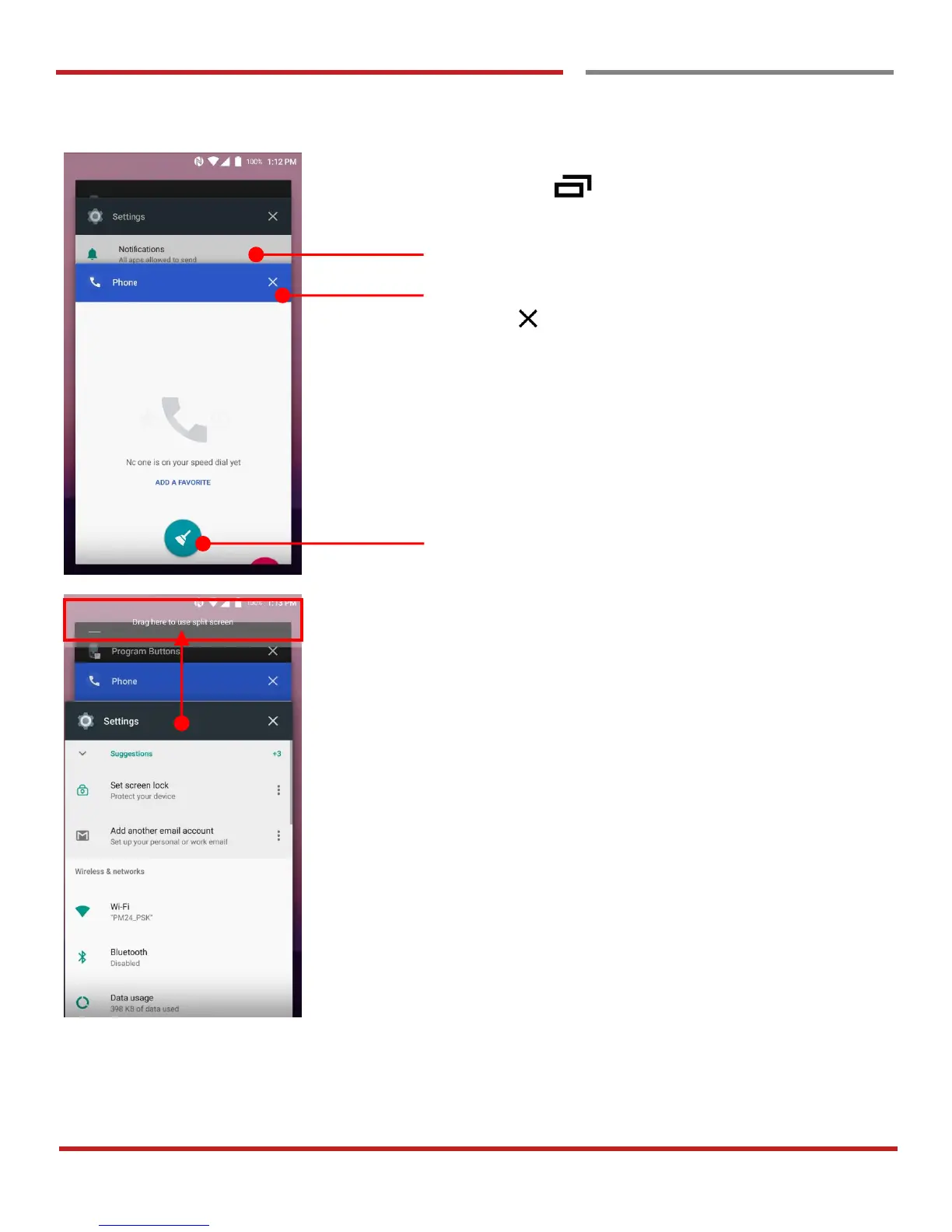
By pressing the Recent button in the keypad, you can
see app list which you access
Touch the app, if you want to use or access the app.
If you want to close individual app, long press the app and
then touch icon
If you close all of the apps, then touch Brush icon
To see the two apps in the screen, please try Split screen
function.
In the recent app list, long press - drag and drop the one of
the app to the top area


 To Next Page