www.point-sourceaudio.comwww.point-sourceaudio.com www.point-sourceaudio.com
Switching Intercom Systems
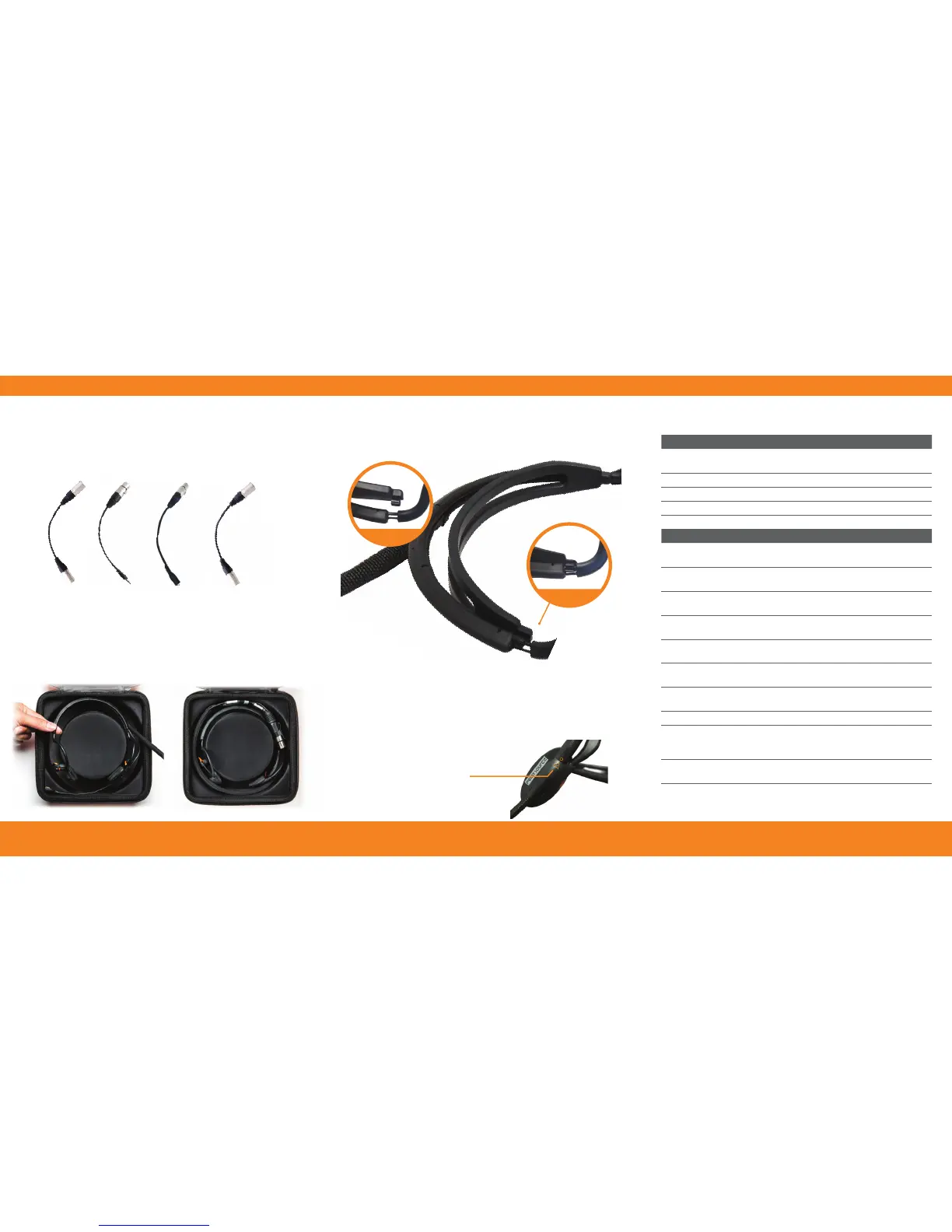
Your headset can be conveniently adapted to work with
different intercom systems or even your smart phone. See our
adapter cables in the Parts List for cross compatibility options.
Storing Your Headset
Follow these instructions for proper storage:
Parts List
Included Accessories
EM-3
EM-3 Earphones terminated with 3.5mm
mini connector
CM-CSE Premium headset storage case, orange
CM-WSN Windscreen for CM-i3 with o-ring
CM-BCP Belt clip accessory for XLR connector
CM-HSi Headband sizer
Optional Accessories
ADP-4Mx5Mm
Adapter cable: 4-pin male XLR to 5-pin
male mono XLR
ADP-5Fx4F
Adapter cable: 5-pin female XLR to 4-pin
female XLR
ADP-4MxPH
Adapter cable: 4-pin male XLR to male
3.5mm TRRS
ADP-5FxPH
Adapter cable: 5-pin female XLR to male
3.5mm TRRS
ADP-PHx4F
Adapter cable: female 3.5mm TRRS to
4-pin female XLR
ADP-PHx5Mm
Adapter cable: female 3.5mm TRRS to
5-pin male mono XLR
ADP-PHx5Ms
Adapter Cable: female 3.5mm TRRS to
5-Pin Male Stereo
CM-PCH Intercom headset travel pouch, black
CM-EXT-4/5
Expandable cable with 4 or 5-pin
male and female XLR.
2 ft. retracted / 10 ft. extended
CM-CAB-KIT
Cable wrap with earphone installation
tool
6-ETP-S
6-ETP-M
6-ETP-L
3 sets eartips for EM-3/5 earphones.
Specify size: small, medium, or large
Fitting Your Headset
To size the headband for a tighter t, attach the CM-HSi to
the head frame on both sides.
Securing Your Microphone
When adjusting your boom microphone, always secure the mic
to the headset by aligning the arrow with the circle to “lock”
the mic into position. Do NOT force the boom past this point
as it may cause damage to your microphone over time.
STEP 1
STEP 2
Line up the symbols to
lock the boom into place.
Place headset and ensure
microphone is safely
tucked into the base.
Next, gently coil
the cable on top
of the headset.


 To Previous Page
 Loading...