11 Troubleshooting Problems
The troubleshooting guide is designed to help you. If problems
continue, please contact customer support. Details are provided under
“Getting Help”.
Symptom Problem Solution
I receive an error message
when I am installing the
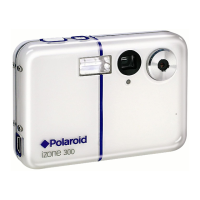
Polaroid izone300™ camera
driver.
Polaroid izone300™ camera
driver” does not load.
Shut down all other applications and
attempt to reinstall the driver.
Check to see if the USB controller in your
BIOS if it is activated. Please refer to
Polaroid website for how to active USB
controller in BIOS.
I cannot upload images to
my computer.
Connection failure.
Check all cable connections are secured.
I cannot run the Polaroid
izone300™ camera driver”.
Conict with another camera
driver or capture device.
If you have another camera installed on
your computer, remove it and it’s driver
completely from your system to avoid
conicting with your izone300™.
Incorrect driver type.
Set the camera’s driver type to the Mass
Storage mode.
My CD Installation wizard
does not work.
The auto installation le is
switched off or the CD-ROM is
disconnected.
Go to the computer desktop. Right click on
“My Computer”. Click “Properties”. Select
“Device Manager”. Double click on “CD-
ROM”, double click on “CD-R (normally the
manufacturer’s name. Click on “Settings”.
Ensure both “Auto insert notication” and
the “disconnect” are ticked. If you change
the settings the computer will ask you to
restart your PC. Click “Yes”.
I get a blurred image when
uploading my images to my
computer.
There may be a momentary delay
between pressing the shutter
button and the actual exposure.
Hold your izone300™ camera steady
until you hear a beep which indicates the
exposure is completed.


 To Next Page
 Loading...