43
Strobe Exposure (Graywall) Test
Purpose
This Test measures the resultant energy on the film plane during a 4.5 - foot (135 cm)
graywall exposure.
Test Setup
1. Trip the Door Switch on the camera into the down position.
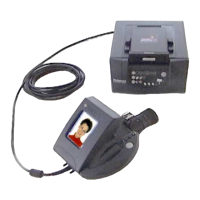
2. Place the camera on the Horn on top of the Tester, with the lens 4.5” from the
graywall. The front of the camera must be parallel to the graywall, and the area
visible in the viewfinder must be clear of objects.
3. Make sure the Flash and Autofocus features are ON (bar displayed below each
symbol), and Audio and Exposure Adjustment are OFF (no bar). The display should
be as shown in Figure 3-12.
To turn a function ON or OFF, press MODE button until only the desired symbol is
displayed. Then press up or down arrow buttons to insert bar (turn ON) or delete bar
(turn OFF the function). To return to the full display, press MODE.
Note: The display automatically turns off after 30 seconds. To bring it back, press
either the MODE or Shutter button.
Figure 3-12. Display for flash and autofocus ON, audio and exposure adjust OFF
4. Leave the Photocell on the camera uncovered.
5. Set the Test Selector Switch to FLASH EXPOSURE.


 To Next Page
 Loading...