
 Need help?
Do you have a question about the Polestar 2 2020 and is the answer not in the manual?
Information provided in various formats, including the centre display and support site.
Practical information found in the glovebox for quick reference.
Information on accessing support via website, app, and hotline.
Contact information for Polestar HQ.
Personal ID for accessing services via username and password.
Troubleshooting common login issues like forgotten passwords and account locks.
Polestar's commitment to improving environment through clean and efficient products.
Intelligent interface with online connectivity for support, information, and entertainment.
Warnings and advice on avoiding distractions while driving.
Information on vehicle data recording for safety and quality assurance.
How terms and data collection are presented and consented to in the centre display.
Warnings about incorrect accessory installation and recommendations for genuine parts.
Guidelines for installing accessories, including seeking professional advice.
Information on connecting equipment to the OBDII socket and potential effects.
How to find the car's VIN.
Advice on contacting Polestar Support for registering the car in a new country.
Overview of safety systems working together to protect occupants in accidents.
Importance of correct seatbelt use and seating position for pregnant drivers.
System reducing whiplash risk through energy-absorbing backrests and head restraints.
System mitigating pedestrian impact in certain frontal collisions by raising the bonnet.
Importance of seatbelt use during heavy braking and proper body contact.
Standard and electric seatbelt tensioners that activate in critical situations.
System reminds unbelted occupants and warns about open doors/bonnet/lid.
Car equipped with airbags and inflatable curtains for driver and passengers.
Supplement to seatbelt, protects head, neck, face, chest, knees, and legs in frontal collisions.
Airbag on passenger side supplementing seatbelts, protecting head, neck, face, chest, knees, legs.
How to activate/deactivate the passenger airbag using the switch.
Act to protect chest and hips in collisions, fitted in outer backrest frames.
Act to protect head, chest, hips in collisions, fitted in inner backrest frames.
Help prevent driver and passengers from striking heads on the car's interior during collisions.
Protective state triggered when collision damages vital functions; may have reduced functionality.
Procedures for resetting the system and moving the car after it enters safety mode.
Children must sit securely; equipment selection based on weight/size; rear-facing seats recommended until age 4.
Importance of using suitable child seats, ensuring proper positioning, mounting, and use.
Location and intended use of upper mounting points for child seats.
Location and intended use of lower mounting points for child seats, primarily for rear-facing seats.
Information on i-Size/ISOFIX fixture system for car child seats.
Importance of correct child seat placement based on seat type and airbag activation.
Key considerations when mounting and using child restraint systems in front and rear seats.
Overview of child seat suitability for various car seat locations.
Table recommending child seat locations based on weight and size, using car seatbelts.
Table for i-Size child seat locations, considering airbag status and UN Reg R129 approval.
Table for ISOFIX child seat locations, including size class, type, and market variations.
Detailed information on child seat manufacturers and their compatibility with car seats.
Overview of displays and controls located by the driver in a left-hand drive car.
Overview of displays and controls located by the driver in a right-hand drive car.
How the clock is shown and settings for date and time.
Information about the car and driving shown on the driver display.
How to change display mode and set what should be shown in the driver display.
Shows energy amount and calculates approximate range.
Indicates when the car is driven on electricity or when regeneration is limited.
Registers values like mileage, average consumption, and average speed.
How to reset the trip meter using the driver display or stalk switch.
Utilizing journey statistics from the trip computer for driving overview and economical driving.
Displays the outside temperature and warns of icy conditions.
Alerts the driver to activated functions, working systems, or defects/errors.
Polestar's agreement with manufacturers/developers regarding software licenses.
Examples of messages shown in the driver display, including service messages.
Explanation of the centre display and its options, including home view, camera view, and app view.
How to interact with the centre display's touch screen, return to home view, and use controls.
How to expand and close subviews in the centre display's home and app views.
All settings and buttons collected under various subviews in the car function view.
How to move and organize apps in the app view.
Overview of symbols shown in the centre display's status bar indicating activities and status.
Using the centre display keyboard for entries and drawing letters by hand.
How to switch between different languages for the keyboard.
Using the centre display keyboard to enter characters by drawing.
How to define unit settings for distance, speed, or temperature via the centre display.
How to define language settings via the centre display.
How to reset user data and system settings to standard values or factory settings.
Saving personal settings in user profiles, including Admin profile and automatic profile selection.
How to change, create, select, and log out of user profiles.
How to change profile name, linked keys, accounts, and activate screen lock or delete profiles.
How to add accounts to the selected user profile.
How to link and unlink car keys to user profiles for automatic profile selection.
Examples of information messages and notifications shown in the centre display.
Using voice to control car functions like climate, navigation, radio, and phone.
How to launch and use Google Assistant for various requests.
Controls for exterior and interior lighting, including stalk switch and thumbwheel adjustments.
Functions of the rotating ring on the left-hand stalk switch for exterior lights.
How to adjust and activate various light functions through the centre display.
Adjusting headlamp pattern for different traffic conditions to reduce dazzling.
Using position lamps for visibility when stopped or parked, and automatic switching.
Automatic switching of daytime running lights and headlamps based on light conditions.
Automatic activation of dipped beam in weak daylight, darkness, or when fog lamps are on.
Operation of main beam using the left-hand stalk switch for strong lighting in darkness.
Function using camera sensor to detect headlamp beams and switch between main/dipped beam.
Operation of direction indicators with the left-hand stalk switch for short or continuous flashes.
Provides additional illumination in bends and junctions by following steering wheel movements.
Activation of front fog lamps for visibility in fog and cornering lights for illumination in weak daylight/darkness.
Function and operation of the rear fog lamp for reduced visibility conditions.
Automatic activation of brake lights during braking and by driver support systems.
Activated to alert vehicles behind about heavy braking, flashing instead of constant glow.
Warns other road users by activating all direction indicators simultaneously.
Exterior lighting remains on after the car is locked to provide home safe lighting.
Welcome lighting activated when unlocking, farewell lighting when driver leaves the car.
Passenger compartment lighting including general, reading, and ambience lights.
How to adjust interior lighting brightness via thumbwheel or centre display.
Overview of car's windows, glass panes, and mirrors, many of which are laminated, tinted, and/or heated.
Power windows have pinch protection that deploys if blocked by an object.
Procedure to test a reset sequence if electrical functions for electric windows have problems.
Control panels on each door for operating electrically-driven power windows.
Instructions on operating power windows with or without auto function, and conditions for use.
Mirrors providing better rear visibility; interior mirror with automatic dimming, door mirrors with wide-angle fields.
How automatic dimming of interior and door mirrors works and how to adjust sensitivity.
Setting door mirrors for driver preferences, including automatic settings linked to memory function.
Tinted glass panoramic roof to damp light, heat, and UV radiation.
Function of wiper blades and washer fluid for visibility, and their maintenance.
Settings for windscreen wipers using the right-hand stalk switch.
Automatic activation of wipers based on water detection on the windscreen.
Activating/deactivating the memory function for the rain sensor.
How to start windscreen and headlamp washers using the right-hand stalk switch.
Automatic washing of headlamps at defined intervals when they are switched on.
Headlamp washing is switched off to prioritize windscreen cleaning when washer fluid is low.
Range of adjustment options to increase comfort for front seats.
Front seats have setting options for comfort, with power movement for forwards/backwards, upwards/downwards, and backrest inclination.
How to store positions for power seats and door mirrors using memory buttons.
How to activate stored positions for power seats and door mirrors using memory buttons.
How to adjust the length of the seat cushion using the handle on the front of the seat.
How to adjust lumbar support using a control on the side of the seat cushion.
How to adjust the front passenger seat from the driver's seat via the centre display.
Description of the rear seat, divided into two folding sections, and child safety recommendations.
How to fold the rear seat backrest forward for increased cargo space.
How to adjust the centre seat head restraint according to passenger height.
Location of horn and controls for driver support systems and voice control on the steering wheel.
How the steering wheel lock prevents theft and its activation/deactivation.
How to adjust the steering wheel for height and depth.
Electronic climate control system cools, heats, and dehumidifies cabin air.
Number of climate zones determines options for setting different temperatures in the passenger compartment.
Location of sensors that help control cabin climate, and a warning not to block them.
Climate control regulates cabin temperature based on perceived temperature, affected by factors like ambient temp, air speed, sun.
Materials and air cleaning system ensure high air quality in the passenger compartment.
Function checks and indicates conditions for good air quality; text changes color to blue when met.
Package includes enhancements for cleaner cabin air, including enhanced fan function and IAQS.
Fully automatic system that separates gases and particles to reduce odours and contaminants.
How to activate/deactivate the air quality sensor in the climate view settings.
All air entering the compartment is cleaned by a filter, requiring regular replacement.
Climate control distributes air via vents; auto-regulated distribution or manual control.
How to manually change air distribution using buttons in the climate view.
How to open, close, and aim air vents individually.
Control of climate system functions via physical buttons, centre display, and rear tunnel console.
How to heat front seats for comfort in cold weather, with warnings for people with reduced sensation.
Setting whether automatic start of heated seats should be activated/deactivated.
How to ventilate front seats for comfort in hot climates.
How to heat the steering wheel for comfort in cold weather.
How auto climate control automatically manages climate functions.
How air recirculation shuts out bad air and exhaust gases.
Setting whether the air recirculation timer should be activated/deactivated.
Using max defroster to quickly remove mist and ice from windows.
How to activate/deactivate heated rear window and door mirrors.
Setting fan speed for front seats to different automatic levels.
How to synchronize or independently set temperatures for climate zones.
Generic term for functions improving passenger compartment climate when parked, e.g., preconditioning.
Climate function to reach comfort temperature before departure.
How to start and stop preconditioning using direct start from the centre display.
Various ways the car can be locked and unlocked using key buttons, key tag, keyless function, or interior controls.
Unlocking doors and tailgate by having the key in pocket/bag and touching the door handle.
Unlocking doors by gripping the door handle, with automatic relocking if doors are not opened.
Adjusting settings for locking and unlocking in the centre display.
Unlocking tailgate by pressing the rubberised pressure plate on the handle.
How to close and lock the tailgate automatically using the button on the underside.
Protection that activates if resistance prevents tailgate opening/closing, stopping movement and sounding a signal.
Locking and unlocking doors and tailgate from inside using central locking controls in the driver's door.
How to unlock the tailgate from inside by pressing a button on the instrument panel.
How to prevent rear doors from being opened from inside using manual or electric child lock.
Information about the car keys and key tag, including their buttons and linking to user profiles.
Description of the buttons on the key and their functions.
How the key tag works for keyless starting, locking, and unlocking.
Factors that can disrupt key functions and how to handle interference.
How double lock mechanically releases opening handles, making interior door opening impossible.
Audible and visual warnings provided by the alarm system if the car is entered without a valid key.
How to reduce the alarm level, e.g., when travelling on a car ferry.
Overview of driver support systems assisting the driver in various situations.
How speed-related power steering increases steering wheel force with car speed for enhanced sensitivity.
System that helps avoid skidding and improves traction.
Sport mode allows for a more active driving experience with reduced system interventions.
How to activate or deactivate ESC Sport mode via the centre display.
Examples of symbols and messages for ESC shown on the driver display.
Function helps driver observe speed-related signs and prohibition signs.
How to activate or deactivate the Road Sign Information function.
How RSI shows road signs in different ways depending on sign and situation.
Subfunctions that warn driver about exceeding speed limits or speed cameras.
How to select and adjust warnings for road sign information.
Factors that can reduce the function's performance, such as faded signs or poor visibility.
Summary of driver support systems that assist in maintaining speed.
Driver controls speed with accelerator but is prevented from exceeding stored maximum speed.
How to deactivate cruise control functions using the steering wheel button.
Function helps adapt car's maximum speed to road signs, using speed information from RSI.
Helps driver maintain even speed for relaxed driving.
How cruise control can be deactivated and set in standby mode.
Helps maintain constant speed and preset time interval to vehicle ahead.
Helps driver steer within lane and maintain speed/distance to vehicle ahead.
How Pilot Assist attempts to position the car halfway between lane markings.
Indicates status of steering assistance via steering wheel symbol color.
How Pilot Assist interacts with the driver on bends and lane splits.
Importance of driver keeping hands on steering wheel for Pilot Assist function.
Illustrative examples of how ACC and Pilot Assist are shown in the driver display.
How Pilot Assist can be deactivated and set in standby mode.
Examples of symbols and messages for Pilot Assist.
Assists driver to avoid collision via warning, automatic braking, and steering assistance.
Breakdown of Assistance at Risk of Collision into collision warning, assisted braking, automatic braking, and steering assistance.
How assistance at risk of collision detects vehicles, cyclists, and pedestrians.
How function regards pedestrians and factors affecting detection.
How assistance at risk of collision can help prevent or reduce collision speed for vehicles, cyclists, and pedestrians.
Limitations of the assistance at risk of collision function, including brake assistance and steering assistance.
Function helps driver avoid being hit by a vehicle approaching from behind.
Intended to help driver detect vehicles diagonally behind and to the side for assistance in heavy traffic.
Location of BLIS lamp in the door mirror.
Zones for blind spot detection and quickly approaching vehicles.
How to activate or deactivate BLIS function via the centre display.
Situations where BLIS function may have limitations.
Examples of messages regarding BLIS shown in the driver display.
Intended to alert driver about deteriorating driving ability, primarily for major roads.
How to activate or deactivate the Driver Alert Control function.
Situations where Driver Alert Control may have limitations.
Systems that assist driver in detecting obstacles when reversing and automatically braking.
Rear Auto Brake detects stationary obstacles behind the car when reversing.
Cross Traffic Alert detects traffic crossing behind the car when reversing.
Uses sensors and acoustic signals to assist driver in tight spaces.
Centre display shows relationship between car and detected obstacles with coloured fields.
Display of composite 360° view and separate views for each of the four cameras.
How park assist lines show intended route for external dimensions and respond to steering wheel movements.
Park assist line for towbar's intended trajectory when connecting a trailer.
How sensor fields change color based on distance to obstacle and display pulsating acoustic signals.
How to activate park assist cameras automatically or manually.
Examples of symbols and messages for Park Assist camera.
Used by driver support systems to sense other vehicles.
Limitations of the radar unit, including blocked unit, vehicle speed, and limited field of vision.
How to keep radar unit clean for correct function.
Examples of messages and symbols relating to the radar unit.
Electric cars run like regular cars but have unique functions related to electric operation.
How to charge the high voltage battery using a charging cable or charging stations.
Supports fast charging with direct current via CCS stations for reduced charging time.
Used to charge the car's high voltage battery, with specifications and warnings.
Built-in ground fault breaker protects car and user from electric shocks.
Monitoring devices in control unit and plug for safe charging.
How to open and close the charging input socket hatch manually.
Steps to start charging using the supplied cable or a Polestar-recommended replacement.
How to fast charge using CCS stations, including stopping and restarting the process.
Using mechanical handle to interrupt charging if cable cannot be released normally.
Symbols and messages shown in the driver display for electric operation faults.
How the charging status is shown using an LED lamp.
Indicator on the charging cable's control unit shows charging status.
Charging status indicated by frame color and light in the driver display.
Setting state of charge, unlocking cable, and setting amperage via centre display.
How to stop charging using buttons or the charging station interface.
Ensuring suitable State Of Charge (SOC) and checking it regularly for long-term storage.
Steps to start the car, including seatbelt, brake pedal, gear selection, and pedal operation.
Automatic and manual deactivation procedures for switching off the car.
Three different usage modes (Passive, Comfort, Drive) that make car functions available.
How car's brakes are used to reduce speed or prevent rolling, including auto braking functions.
Part of the brake system, with information on brake circuits and pedal pressure.
Prevents wheel locking during braking and allows steering control, with automatic testing.
Kinetic energy converted to charge battery during light braking.
Hold function allows driver to release brake pedal while maintaining braking force when stopped.
Prevents car from rolling away from stationary by blocking rear wheels.
How to activate the parking brake using the button, and automatic activation conditions.
How parking brake can be activated in an emergency by pulling and holding the button.
Making sure parking brake is activated when parking on a hill, and wheel direction.
What to do if parking brake cannot be deactivated/activated, and how to secure the car if parked before fault rectification.
Prevents accidental switching between different gear positions; brake pedal must be depressed.
Car drives all four wheels simultaneously for improved traction, enabled by electric motor driving rear wheels.
Facilitates progress at low speed, e.g., in traffic queues or car parks, moving slowly without accelerator pedal.
Steps to activate inching function from stationary.
How shock absorbers control body movements and isolate road unevenness for comfort and function.
Car fitted with Öhlins adjustable shock absorbers with three recommended positions.
How to adjust shock absorber settings for different conditions or road surfaces.
Car recovers brake energy and regenerates current to battery when accelerator pedal is released or foot brake used.
Three levels for energy recovery with accelerator pedal to regulate braking action.
Important considerations for driving with a trailer, including towbar, trailer, and load placement.
Function included in ESC system to stabilize car with trailer when fishtailing occurs.
Checking trailer lights before departure, including automatic check after electrical connection.
Recommendations for using a towbar-mounted bicycle rack, including weight limits and effects on driving.
Function of tyres, their effect on driving characteristics, and information on tyre type, dimensions, pressure, and speed rating.
Importance of using Polestar original tyres with VOL marking for car's driving characteristics and efficiency.
Advice on getting fresh tyres due to perishability and gradual deterioration of friction capacity.
Switching tyres between front/rear axles is not possible; driving style affects tyre wear.
How to properly store complete wheels and tyres.
Tyres older than 6 years should be checked by an expert, even if seemingly undamaged.
Tips for improving tyre economy, including maintaining pressure, avoiding harsh driving, and correct wheel setting.
Explanation of tyre dimension, load index, and speed rating designations.
Capacity of each tyre to carry a load.
Maximum speed a tyre can withstand, with exceptions for winter tyres.
Table showing all approved combinations of wheel rims and tyres, noting that not all sizes may be indicated by registration documents.
Shows minimum permitted load index and speed rating for tyres.
Approved tyre pressures for different engine alternatives, including ECO pressure option.
Importance of correct tyre pressure for driving stability, energy consumption, and tyre life.
Tyre pressure must be checked when tyres are cold.
How to adjust tyre pressure, including visual checks and refitting dust caps.
System gives warning with indicator symbol when tyre pressure is too low.
Examples of messages regarding tyre pressure monitoring displayed in centre and driver displays.
Correct procedure for removing and fitting a wheel, including activating hazard flashers and parking brake.
Useful tools stored in the car for towing, wheel changes, etc.
How to use the jack to raise the car for wheel changes.
Use of snow chains and winter tyres to improve traction in winter conditions, with restrictions and recommendations.
What to do in case of a puncture, including activating hazard flashers, moving the car, and using the emergency repair kit.
Kit used to seal punctures and check/adjust air pressure for temporary repair.
How to inflate tyres using the compressor from the emergency puncture repair kit.
Following the service programme for safety, reliability, and warranty compliance.
Regular servicing and authorized workshop repairs.
How to book service and repair, and data transfer via Wi-Fi.
Simpler and more efficient workshop visits via Wi-Fi for diagnostic information and software download.
Installing the latest software updates for system functionality.
Instructions on how to raise the car safely using the jack or lifting arms.
Air conditioning system must only be serviced by authorized workshops.
How to open the bonnet using the handle in the passenger compartment and a handle under the bonnet.
Function of coolant, prescribed grade, and handling of low coolant messages.
Information on different batteries, electrical system, and high voltage battery use.
Battery located in car's chassis, maintenance-free, rechargeable lithium-ion type.
AGM battery used to start electrical system and power equipment.
Information and warning symbols on batteries.
How to recycle used 12V batteries environmentally.
Protection of car's electrical system by fuses.
How to locate, pull out, check, and replace a fuse.
Diagram and function of fuses located under the bonnet.
Diagram and function of fuses located under the glovebox.
Information on car's decals including chassis number, type designation, color code, and type approval.
Location of decals for type designation, VIN, and A/C system.
Measurement of car's length, height, ground clearance, wheelbase, and load lengths.
Information on max gross vehicle weight, train weight, axle loads, load capacity, and roof load.
Table showing all approved combinations of wheel rims and tyres, noting that not all sizes may be indicated by registration documents.
Shows minimum permitted load index and speed rating for tyres.
Approved tyre pressures for different engine alternatives, including ECO pressure option.
Information on substances present in articles at greater than 0.1% by weight, and their CAS numbers.
 General
| Brand | Polestar |
|---|---|
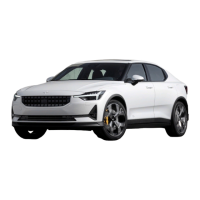
| Model | 2 2020 |
| Category | Automobile |
| Language | English |

 To Next Page