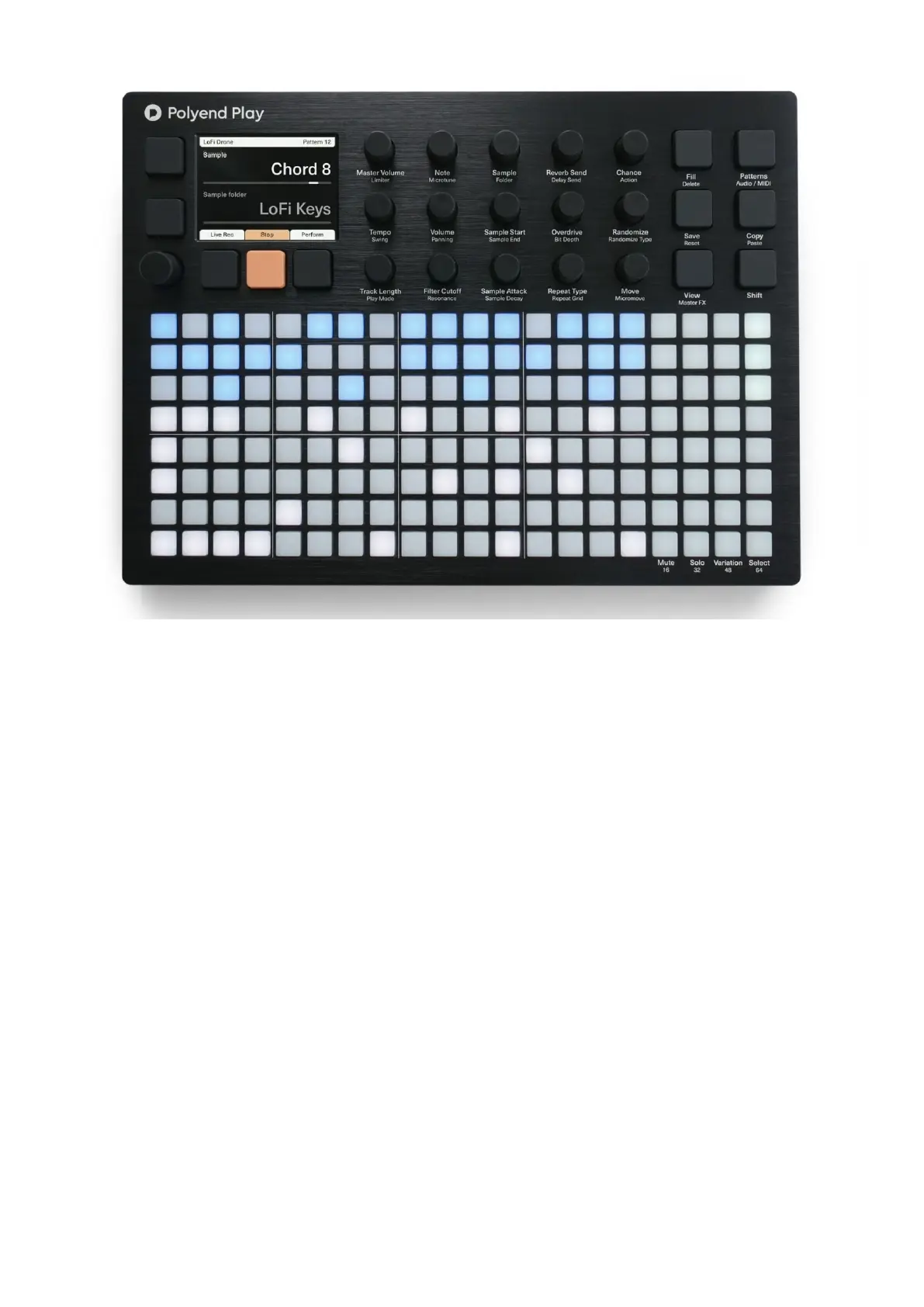
The Polyend Play user interface is divided into four sections. Starting from the left side:
A – High-resolution screen accompanied by five dedicated mechanical screen function
buttons (the current description of each button is displayed on the screen) and a
multifunctional clickable encoder. Press/click on it to enter the Main menu. Thanks to the
encoder’s detents, you can precisely dial in the value of the chosen parameter value while
turning it.
B – Middle section consists of fifteen dedicated touch-sensitive function knobs. You will be
using these knobs to manage the step and track parameters as well as the global project
status. Each knob controls two described parameters. The operational parameter is
highlighted in the display. Double-tap a knob to switch its active parameter.
C – On the right side there are six mechanical function buttons. Besides the Shift key itself,
they offer two actions. Hold the Shift button to access the secondary action for each button.
D – The 8 x 20 grid of multifunctional (non-velocity-sensitive) silicone pads covers the lower
half of the device. The grid pad brightness level is user-adjustable. It is vertically split into
two main parts. On the left side, you’ll find 8 x 16 track steps columns. These can also be


 To Next Page
 Loading...

