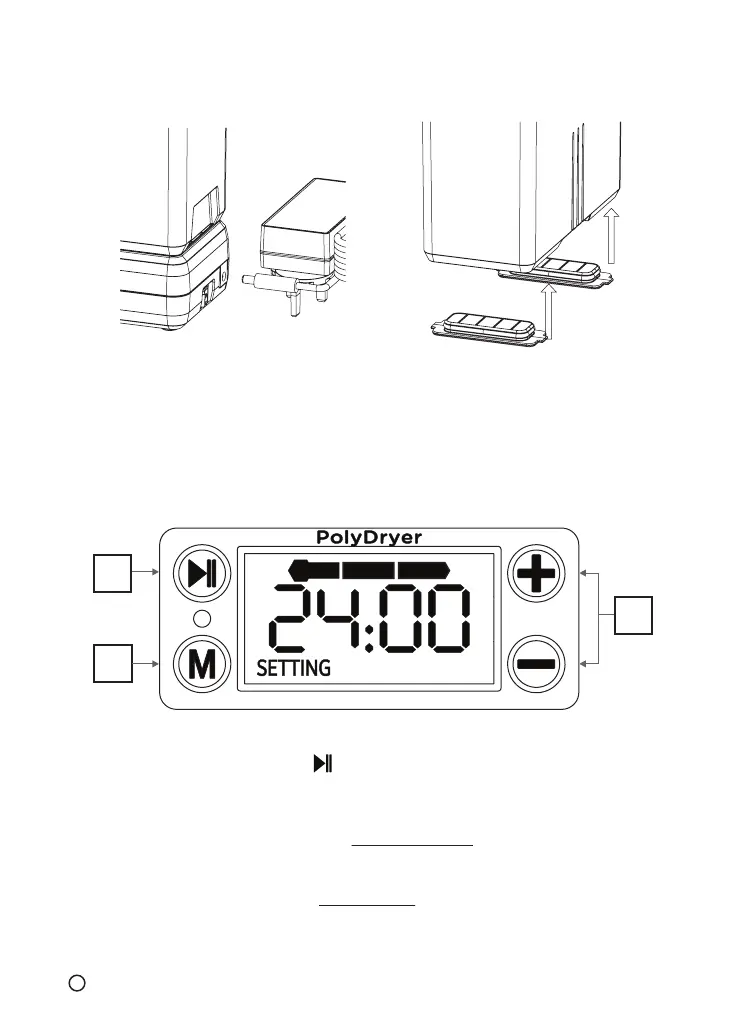
7. Connect power supply and
switch on the Dry Dock
8. After the drying process is
complete, remove the PolyDryer™
Box from the Dry Dock and
replace the Airlocks tightly to
ensure the best seal
Setup drying time and power level based on filament material,
then press to start drying, Enjoy!
A: Start drying / Pause Drying
B: Adjust drying power
- Long press to access Continuous Mode
- Please review Recommended Power level before start drying
C: Adjust drying time (+ -)
- Max. 24 hours in Regular Mode
- Press + and – buttons together to reset the drying time
A
B
C
6
EN



 To Next Page