Some user’s Icon Strip has an additional feature for users to set quick
links.
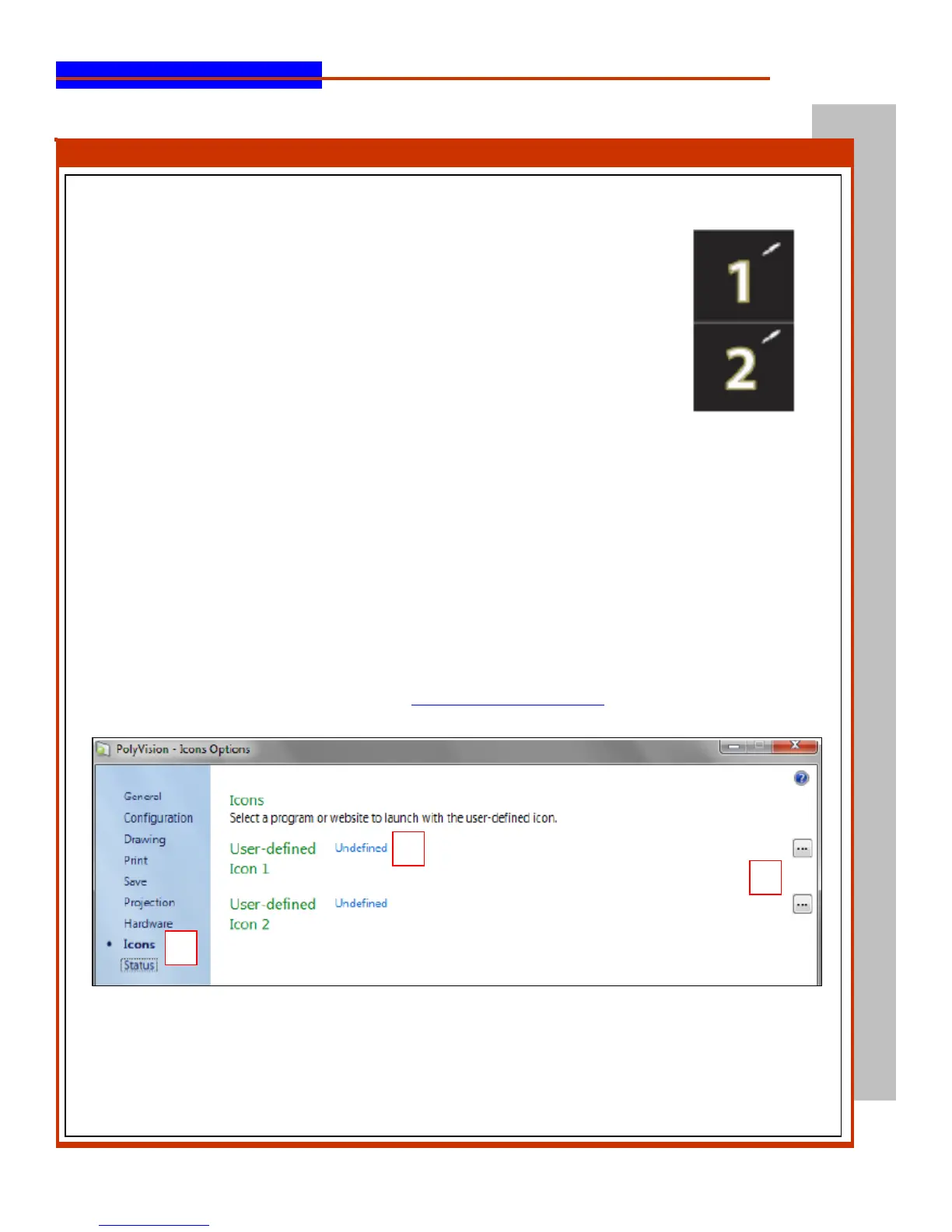
To identify if your strip has the additional feature look at the bottom of your Icon
Strip you will notice two squares one with a #1 & one with a #2
Setup:
1.
Open the Polyvision Driver (icon located in the bottom right of your screen)
2.
Choose Configure Polyvision Driver
3.
Select the Icons tab
4.
To customize the icon so it launches a program on the computer, click the button on the right
edge of the window and navigate to the executable file for the program you want to launch
5.
OR if you would like the icon to launch a website, click the blue link beside “User Defined”
and type the complete web address (i.e. http://www.webpage.com) in the text box.



 To Previous Page