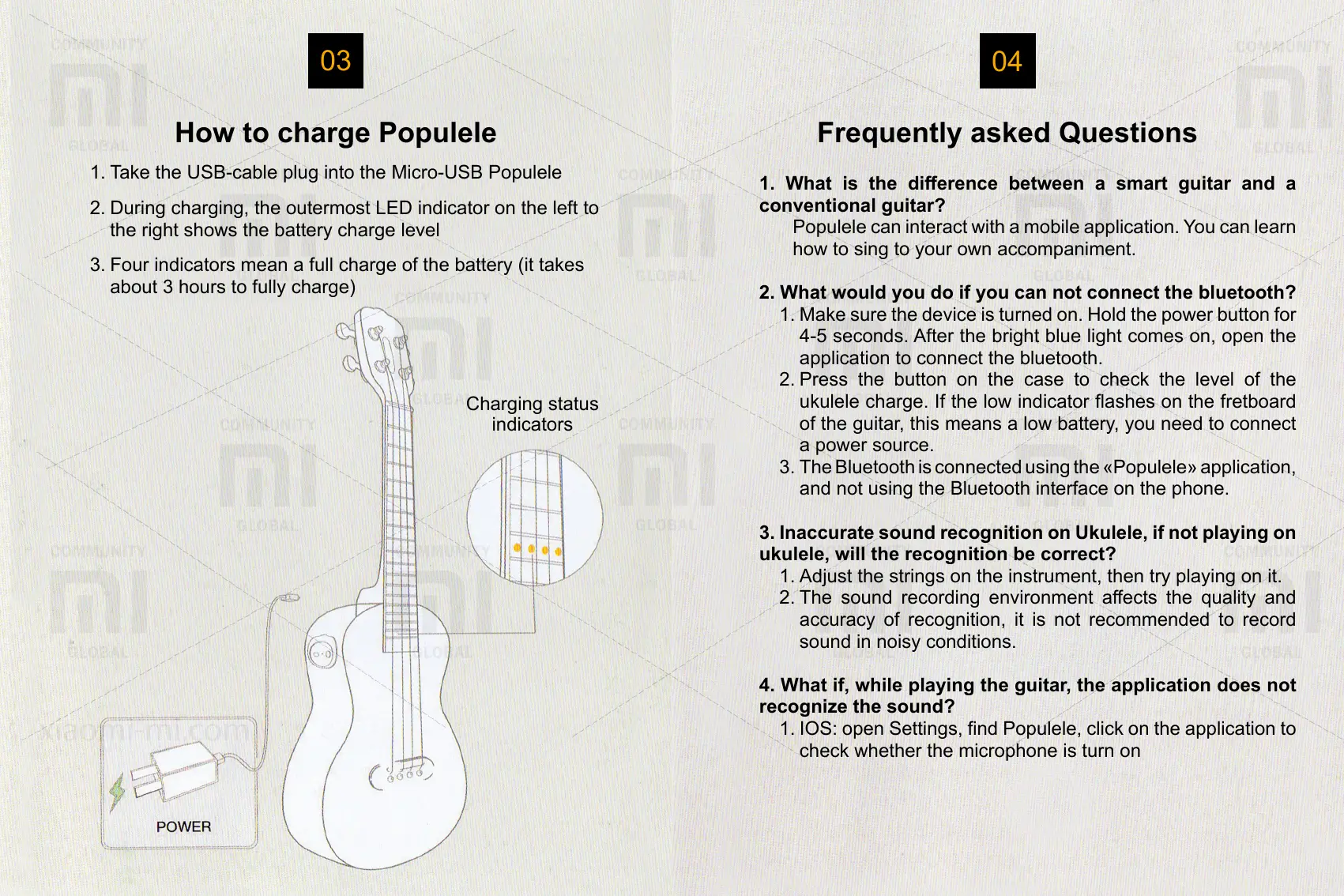
How to charge Populele
1. Take the USB-cable plug into the Micro-USB Populele
2. During charging, the outermost LED indicator on the left to
the right shows the battery charge level
3. Four indicators mean a full charge of the battery (it takes
about 3 hours to fully charge)
Charging status
indicators
03
Frequently asked Questions
04
1. What is the dierence between a smart guitar and a
conventional guitar?
Populele can interact with a mobile application. You can learn
how to sing to your own accompaniment.
2. What would you do if you can not connect the bluetooth?
1. Make sure the device is turned on. Hold the power button for
4-5 seconds. After the bright blue light comes on, open the
application to connect the bluetooth.
2. Press the button on the case to check the level of the
ukulele charge. If the low indicator ashes on the fretboard
of the guitar, this means a low battery, you need to connect
a power source.
3. The Bluetooth is connected using the «Populele» application,
and not using the Bluetooth interface on the phone.
3. Inaccurate sound recognition on Ukulele, if not playing on
ukulele, will the recognition be correct?
1. Adjust the strings on the instrument, then try playing on it.
2. The sound recording environment aects the quality and
accuracy of recognition, it is not recommended to record
sound in noisy conditions.
4. What if, while playing the guitar, the application does not
recognize the sound?
1. IOS: open Settings, nd Populele, click on the application to
check whether the microphone is turn on
2. Android: Find the Sound Recorder application in the settings,
activate the sound recording function.



 To Next Page
 Loading...