11
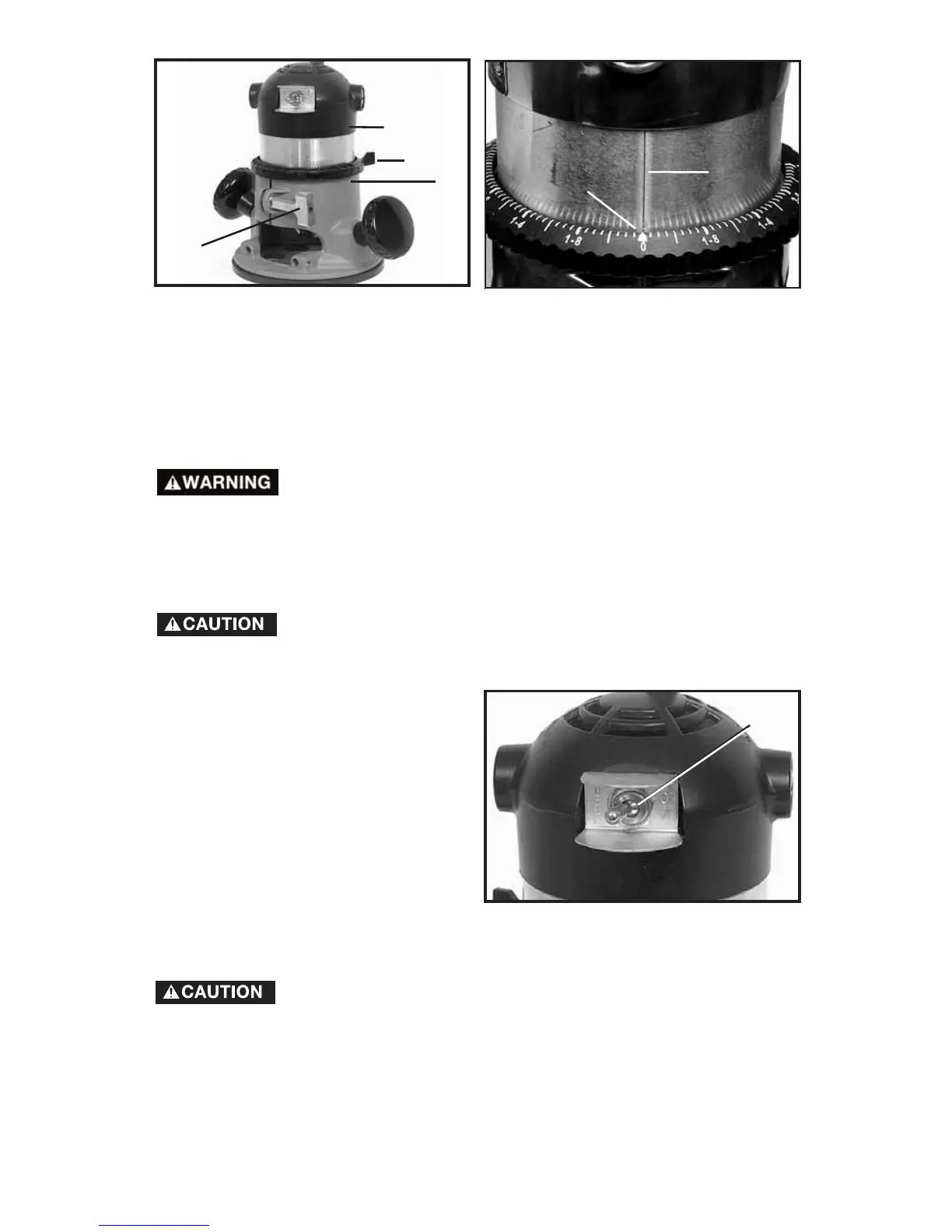
NOTE: Setting the index line to 1/4" on the ring means the cutting
edge of the bit is exposed 1/4" below the base.
CONNECTING TO POWER SOURCE
Before connecting tool to power source ALWAYS MAKE
SURE SWITCH IS IN THE “OFF” POSITION. Also check
that the power circuit is the same as that shown on
specification plate of the router.
STARTING AND STOPPING THE MOTOR
Before starting the router, make sure that the bit is clear
of the workpiece and foreign objects. Keep a firm grip
on router to resist starting torque.
Start and stop the motor by setting
the toggle switch (A) Fig. 4 to the
“ON” or “OFF” position.
To avoid personal injury or damage to finished work, always
allow the motor to come to a COMPLETE STOP before
setting it down.
Fig. 3A
F
E
A
B
C
D
Fig. 3B
A
Fig. 4


 To Next Page