6. Operation
6.1 Menu overview
Phonebook Messages Functions
Contacts Inbox Copy
Add Contact Delete All Messages Forward feed scanner
Edit Contact Print all SMS Print settings
Print list of all contacts SIM Memory Print activity report
Memory status Print Menu tree
Setup Advanced Setup
Resolution Power-down time
Date & Time
Power modes
Volume
Security
Fax header Call diverts
Print out modes Network settings
Language settings
Density control
Font size
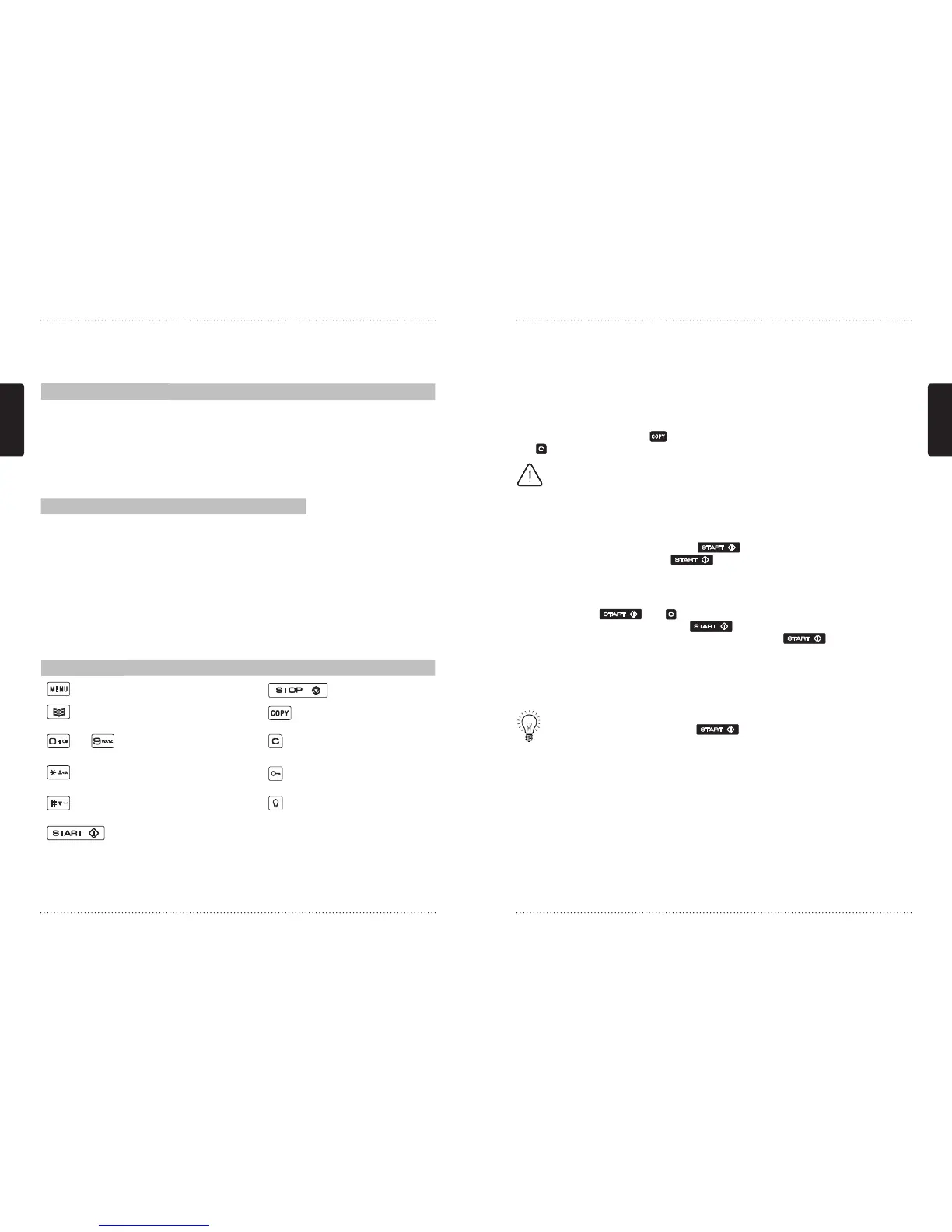
6.2 Navigation
Button Description Button Description
Menu, Print menu tree Stop, Cancel, No
Phonebook Copy, Print
-
0-9 or letters Delete, Erase letters,
One menu up
Paper feed forward, Scroll
menu, Capitalise letters
Keylock on/off
Paper feed backwards,
space bar
Backlight on, 15
seconds
Start, Enter, Yes
6.3. Phonebook
All your contacts are listed in the phonebook. You can use the phonebook to search, edit,
delete or print contact information and even check available space on your SIM card.
6.3.1 Contacts
Contacts are listed according to SIM position. The displays shows intermittent contact
name, phone number and SIM/Quick dial number. If you wish to print the displayed
contact information press
. Should you wish to delete the displayed contact press
and follow the on-screen instructions.
NOTE: Should you wish to assign (key 1) to your voice mail number, please
first delete position 1 contact and then add your voice mail number. See
6.3.2
Add contact.
6.3.2 Add Contact
To add a new contact enter the Add contact menu. Type the name of your new
contact first and confirm by pressing . Then type the new number and
confirm your entry by pressing . Your new contact is now saved to the SIM.
6.3.3 Edit Contact
To edit a contact just enter the Edit contact menu. Scroll to the contact you want to
edit and press
. Use to delete characters and type letters by pressing the
corresponding letter buttons. Press
to confirm changes. Now you can edit
the phone – or fax number. Save all changes by pressing .
6.3.4 Print list of all contacts
To print out a list of all your contacts enter the Print all contacts menu. The contacts
list contains SIM position, the contact name and the phone or fax number.
TIP: The SIM position number can also be used for speed dialing. Just type the
SIM position number followed by and the corresponding contact/
number is dialed.
6.3.5 Memory status
GRETA can show how many contact spaces are used in total. Most of the SIM cards
today can hold 200 contacts. This number, however; depends on the type of SIM
card you were provided by your mobile operator. Please contact your MO for further
information on the capacity of your SIM card.



 To Next Page