- 3 -
03. Instructions for use
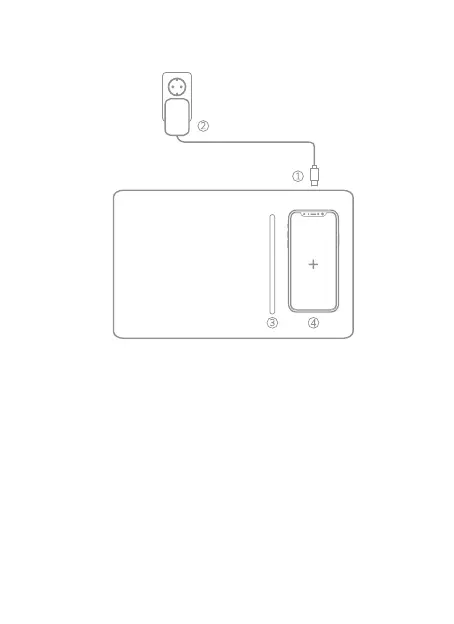
1. Connect the included fast charging USB cable to the device.
2. Connect the other side of fast charging USB cable to an available fast
charge adapter. To ensure fast charging, you should use a fast charge
adapter(QC2.0 or QC3.0) instead of charging through your computer.
3. Place the included pencil on pencil tray area in the middle of mouse pad.
4. Simply place your device on charging area of this fast wireless charger.
Wireless charging will begin in seconds.


 To Next Page