6
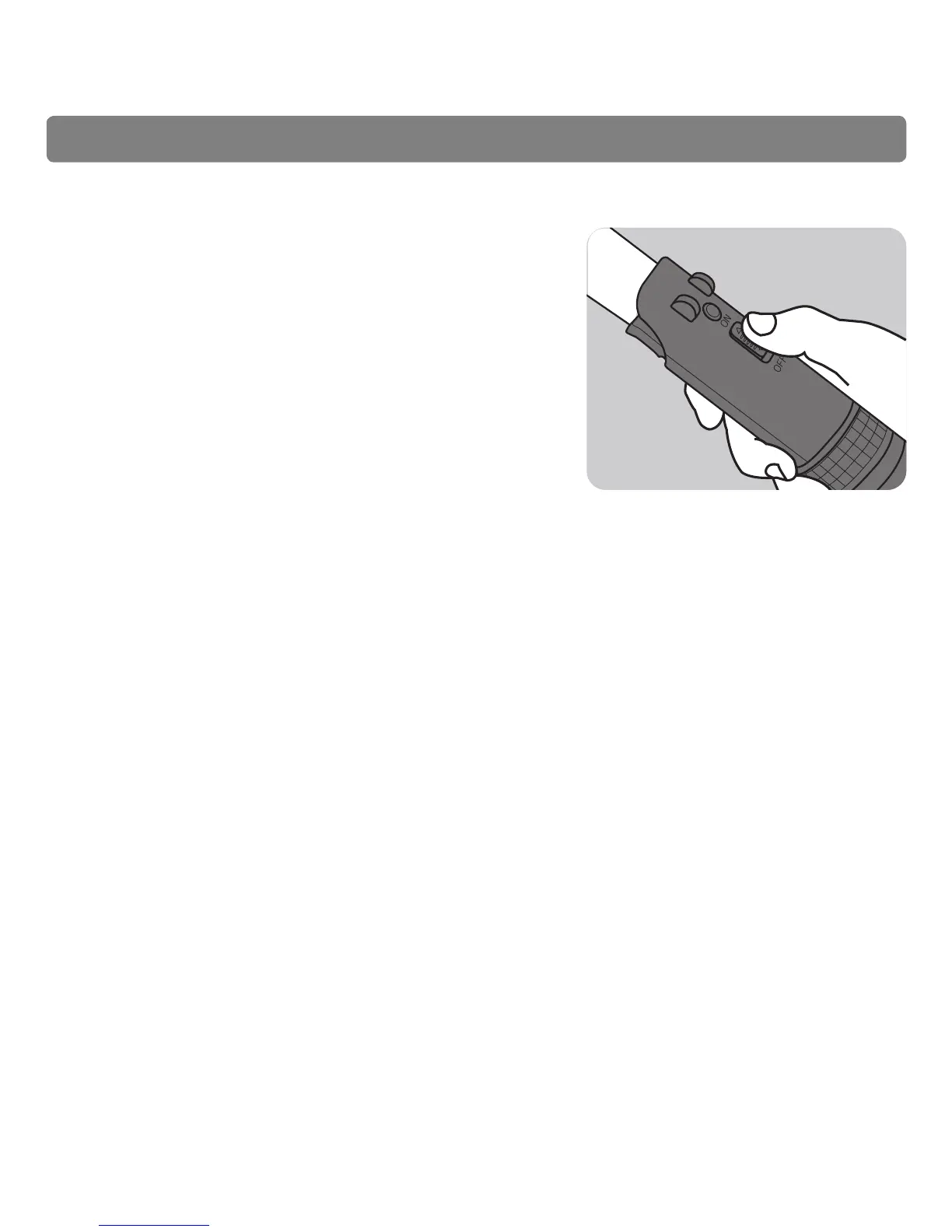
Use switch on front of Lightsaber to light up
Lightsaber blade.
NOTE: If the Lightsaber does not light up, the batteries may
be depleted. Remove the exhausted batteries from the
compartment, and replace with new batteries (two 1.5V AAA
batteries).
Step Seven
Care and Maintenance:
Keep away from extreme temperatures and humidity, including direct sunlight.
Never submerge any parts of the product in liquid.
To clean, wipe gently with a soft dry cloth.
Store in a cool, dry place when not in use.
WARNING:
Do not mix old and new or different types of batteries.
Do not mix alkaline, standard (carbon-zinc) or rechargeable (nickel-cadmium) batteries.
The supply terminals are not to be short circuited.
Non-rechargeable batteries are not to be recharged.
Rechargeable batteries are to be removed from the toy before being charged.
Rechargeable batteries are only to be charged under adult supervision.
Batteries are to be inserted with the correct polarity.
* See manufacturer’s manual and follow all instructions and warnings for use of Wii Remotes.


 To Next Page