4
English (Original Instructions)
EN
DE ES IT FR PT NL RU FI SV NO DA PL CS SK SL HR HU RO BG EL AR TR HE LT LV ET
This is a diagnostic charger. The Charger
LED Light will illuminate in specic order to
communicate the current battery status. They
are as follows:
leD StatuS DeScriPtion
Blinking Green Charging
Solid Green Fully Charged
Solid Red Over Temperature
Blinking Red Charging Fault
False Defect Note:
When the battery is inserted into the charger,
and the status LED ashes, remove the battery
from the charger for 1 minute, then reinsert.
If the status LED indicates normal than the
battery pack is good. If the status LED is still
blinking, remove the battery pack and unplug
the charger. Wait 1 minute and plug the charger
back in and reinsert the battery pack. If the
status LED indicates normal than the battery
pack is good. If the status LED is still blinking
then the battery pack is defective and needs to
be replaced.
NOTE: When the red indictor ickers, pull out
the battery from the charger and insert again
within 2 hours. If the indictor shows charging,
that means the battery is good. After 2 hours,
please pull out the battery and also pull out the
AC power plug of the charger for 1 miniute, and
then insert the AC power plug and the battery
again. If the indictor shows charging, that
means the battery is good. If not, the battery
needs to be changed.
checKing the charger
If the battery pack does not charge properly:
· Check the current at the power outlet with
another tool. Make sure that the outlet is not
turned off.
· Check that the charger contacts have not
been shorted by debris or foreign material.
· If the surrounding air temperature is not
normal room temperature, move the charger
and battery pack to a location where the
temperature is between 7 ˚C and 40˚C .
This product requires assembly.
Warning
If the battery pack cracks or breaks, with
or without leaks, do not recharge it and do
not use. Dispose of it and replace with a
new battery pack. DO NOT ATTEMPT TO
REPAIR IT!
To avoid injury and risk of re, explosion, or
electric shock, and to avoid damage to the
environment:
·Cover the battery's terminals with heavy-
duty adhesive tape.
·DO NOT attempt to remove or destroy any of
the battery pack components.
·DO NOT attempt to open the battery pack.
Warning
· If a leak develops, the released electrolytes
are corrosive and toxic. DO NOT get the
solution in the eyes or on skin, and do not
swallow it.
DO NOT place these batteries in your regular
household trash.
· DO NOT incinerate.
· DO NOT place them where they will become
part of any waste landll or municipal solid
waste stream.
· Take them to a certied recycling or disposal
centre.
charging ProceDure
NOTE: The battery is not shipped fully charged.
It is recommended to fully charge before use to
ensure that maximum run time can be achieved.
This lithium-ion battery will not develop a
memory and may be charged at any time.
1. Plug the charger into an AC power outlet.
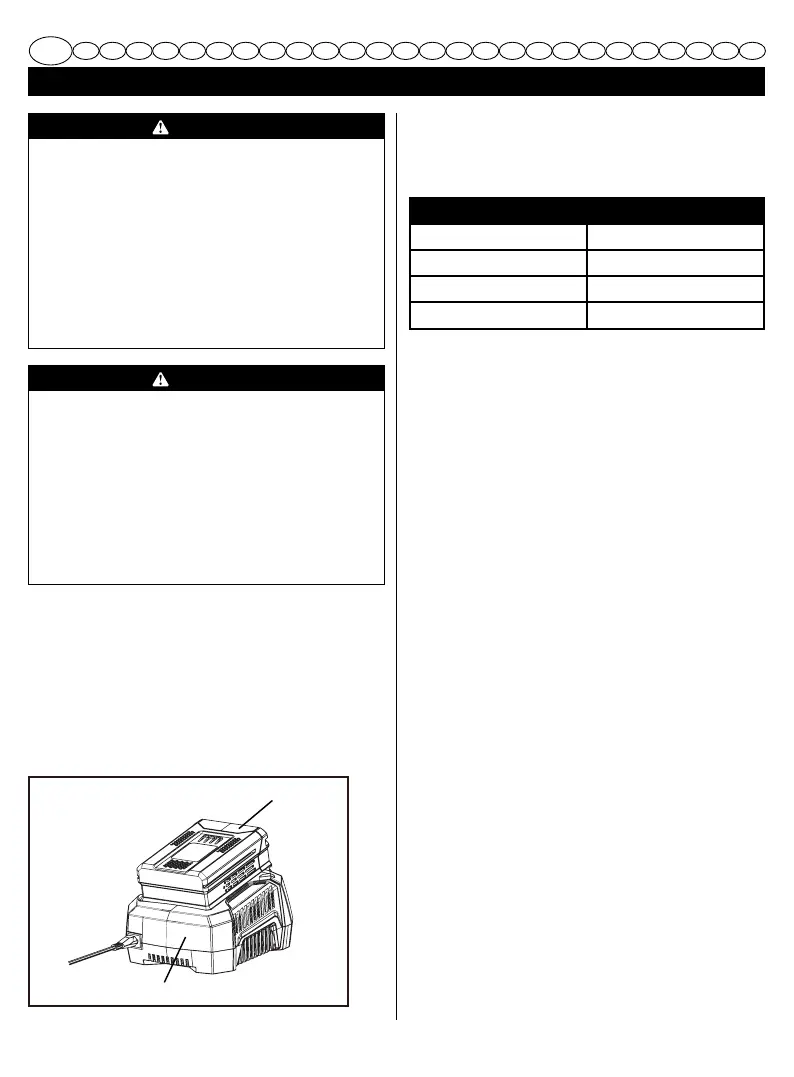
2. Insert the battery pack (1) into the charger (2).
1
2



 To Next Page