EasyManua.ls Logo

PowerBass XEQ-9XO - User Manual

PowerBass XEQ-9XO
16 pages
Print Icon
To Next Page IconTo Next Page
Loading...
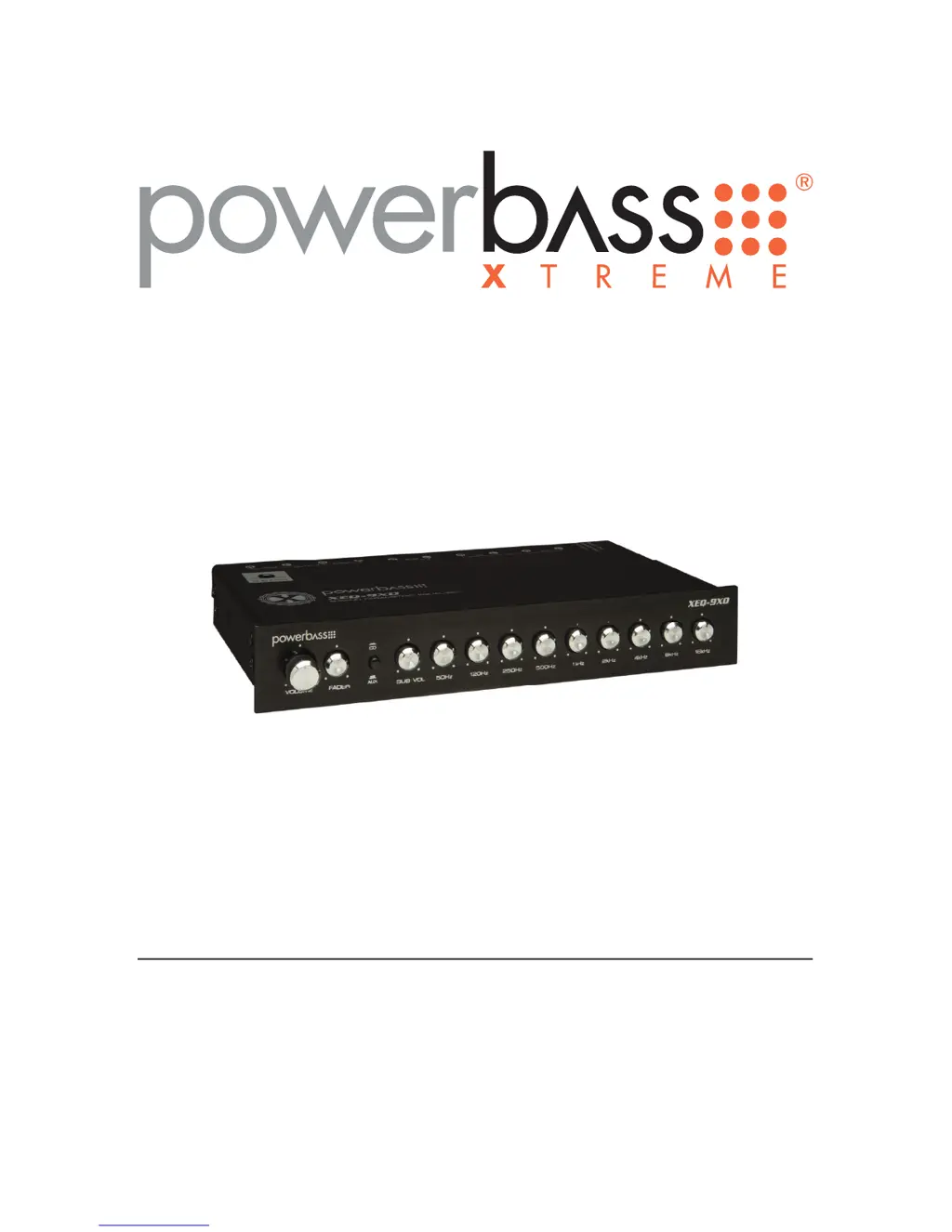
9-BAND PREMIUM EQUALIZER/ PREAMP
Owners Manual
Please read through this manual to familiarize yourself with your new equalizer. Should your PowerBass
Xtreme equalizer ever require service, you will need to have the original dated receipt.
XEQ-9XO

Questions and Answers

  • E
    Edward ConnerJul 26, 2025
    What to do if my PowerBass XEQ-9XO has no sound?
    • C
      Cody HannaJul 26, 2025
      If your PowerBass Stereo Equalizer isn't producing any sound, there are several things you can check: * First, verify the 'Power' and remote turn-on are receiving the correct voltage. * Next, make sure the Fader Control is centered. * Also, check the Ground connections to ensure they are secure. * Finally, try pushing the 'Source' button.
  • R
    Robert DavisAug 5, 2025
    Why does my PowerBass Stereo Equalizer have a hissing sound?
    • C
      Carmen SandersAug 5, 2025
      If you're experiencing a hissing sound with your PowerBass Stereo Equalizer, here are a few things to try: * Reduce the amplifier gains. * Adjust the output level of the Source unit. * Inspect the RCA interconnect cables for any kinks or faults.
  • W
    william11Aug 15, 2025
    What to do if my PowerBass XEQ-9XO Stereo Equalizer speakers are distorting?
    • K
      kwardAug 15, 2025
      If your PowerBass Stereo Equalizer speakers are distorting, try the following: * Adjust the equalization levels. * Lower the volume of the Source unit.

Summary

EQUALIZER

Thank you and Congratulations

Expresses gratitude for purchasing the equalizer and congratulates the user.

PREMIUM EQUALIZER;PREAMP

Introduces the product, highlighting its advanced signal processing and benefits for car stereo systems.

Safety Warning

Warns about high sound pressure levels, potential hearing damage, and traffic hazards from loud audio.

FEATURES

Stereo Premium Equalization with Variable Subwoofer Control

Offers flexibility with a subwoofer crossover for a mini-mixing board experience.

PWM Power Supply

Provides steady voltage from the vehicle's charging system for stable operation.

Master Volume Control

Allows raising source unit volume to maximum, simplifying adjustments.

Auxiliary Input Selector

Enables switching between two audio sources for easy hook-up of multiple devices.

Fader Control

Balances volume between front and rear speakers, even with two-channel source units.

Pre-Amp Line Driver

Boosts head unit output voltage up to 20dB for improved signal to amplifiers.

Retractable Control Knobs

Allows adjustment of settings and prevents accidental movement by pushing them in.

Night Illumination

Backlit control knobs provide illumination for easier adjustment in the dark.

INSTALLATION EXPERIENCE

FRONT PANEL LAYOUT

VOLUME Control

Adjusts the overall output level of the audio system.

FADER Control

Balances the volume between front and rear amplifier channels.

SOURCE Button

Selects the input source between RADIO (head unit) and AUX.

SUB VOL Control

Independently adjusts the output level for the subwoofer.

GRAPHIC EQUALIZER CONTROLS

Nine rotary knobs adjust frequency response by boosting or cutting signals by 18dB.

TOP CHASSIS ADJUSTMENT

SUB FREQ Control

Variable crossover control adjusts subwoofer output frequency between 30Hz and 120Hz.

INSTALLATION PRECAUTIONS

Installer Qualification Note

Emphasizes proceeding only if qualified, otherwise consult an authorized dealer.

MOUNTING THE EQUALIZER

Mounting Options

Details two primary methods: under-dash mounting and in-dash flush mounting.

Pre-Mounting Adjustment

Advises adjusting the variable subwoofer frequency control before mounting.

REAR PANEL HOOK UP

Power Connections

Explains wiring for +12 VDC, Ground (GND), and Remote Turn-on (REM) using the power plug.

Input Jacks

Describes the RADIO and AUX RCA inputs for connecting source units.

Sub Output Jacks

Identifies RCA jacks for connecting to a dedicated subwoofer amplifier.

Output Jacks

Identifies RCA jacks for connecting to front and rear amplifiers.

RCA INTERCONNECTS

Cable Routing Note

Advises running RCA cables on the opposite side of power cables for optimal signal integrity.

WIRING CONFIGURATIONS

One Source;One Amplifier

Illustrates the basic setup with one source unit and one amplifier connected to the EQ.

Low Level Output Requirement

Warns that source units without RCA output require a Line Level Converter to prevent damage.

Two Source Units;One Amplifier

Shows wiring for systems using two source units and a single amplifier.

Using Front and Rear Outputs

Details configuration for systems with separate front and rear amplifier channels using the built-in fader.

Using Front, Rear, and Sub Outputs

Explains connecting to separate front, rear, and subwoofer amplifiers.

Remote Turn-On Feature

Explains how the EQ automatically turns on/off with the head unit.

Equalization Adjustment Guidance

Provides general advice on adjusting EQ controls for optimal system sound.

EQUALIZER BAND RANGES

SUB BASS (50 Hz)

Controls low bass frequencies, use sparingly to avoid speaker strain.

MID BASS (120 Hz and 250 Hz)

Adjusts frequencies above sub bass and below the midrange.

LOWER MIDRANGE (500 Hz and 1 kHz)

Shapes frequencies for musical instruments, vocals, and percussion.

UPPER MIDRANGE (2 kHz and 4 kHz)

Fine-tunes female vocals and upper midrange tones.

TREBLE (8 kHz and 16 kHz)

Adjusts upper high range frequencies for clarity and detail.

INSTALLATION NOTES

TROUBLESHOOTING TIPS

No Sound

Provides solutions for when the audio system produces no sound output.

Hiss

Offers steps to resolve unwanted background hiss in the audio.

Distorting Speakers

Gives advice on troubleshooting distorted speaker audio output.

SPECIFICATIONS

LIMITED WARRANTY POLICY

PowerBass XEQ-9XO Specifications

General IconGeneral
BrandPowerBass
ModelXEQ-9XO
CategoryStereo Equalizer
LanguageEnglish