3. OPERATING INSTRUCTION
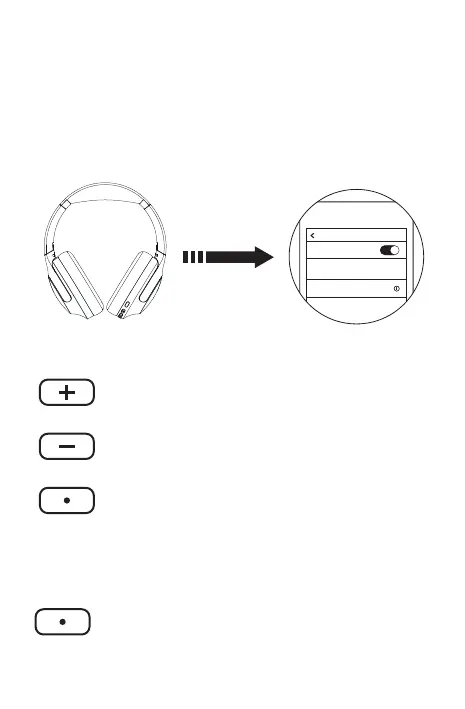
3.1 PAIRING
3.2 WHEN MUSIC IS PLAYING
3.3 WHEN THE PHONE IS ON
HANDS-FREE
2
Long press(1) On/Off button to turn on the
headset.
Open the smart device Bluetooth menu and then
Select the Bluetooth name PowerLocus P3
Click: Volume Plus
Long press: Next song
Click: Volume down
Long press: Last song
Short press: Answer/hang up the phone
Double press: Call back
Long press for 1.5 seconds:
Reject the call
Click: Play/Pause
BT
BT Version
Set
PowerLocus P3
My device
Short press: Answer/hang up the phone
Double press: Call back
Long press for 1.5 seconds:
Reject the call


 To Next Page