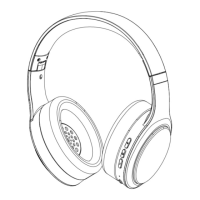
This document provides a quick guide for the PowerLocus PLX1 earbuds, covering their pairing, charging, and basic functions.
Function Description
The PowerLocus PLX1 are wireless earbuds designed for audio playback and communication. They are equipped with a charging case that not only stores the earbuds but also recharges them, extending their usage time. The earbuds are designed to automatically power on and connect to each other when removed from the case, simplifying the initial setup process. They can then be paired with a Bluetooth-enabled device to stream audio. The charging case itself is rechargeable via a USB cable, ensuring both the earbuds and the case are ready for use.
Usage Features
Pairing the Earbuds:
To begin using the PLX1 earbuds, the first step is to pair them with your audio device.
- Automatic Power On and Connection: Simply take both earbuds out of their charging case. The earbuds are designed to automatically power on and establish a connection with each other. This eliminates the need for manual power-on or inter-earbud pairing.
- Bluetooth Pairing with Device: Once the earbuds are connected to each other, open the Bluetooth menu on your device (e.g., smartphone, tablet, computer). In the list of available Bluetooth devices, you should find "PowerLocus PLX1." Select this option to complete the pairing process. A "Connected" status will typically appear next to the device name in your Bluetooth menu, confirming a successful connection.
- Manual Power On (Important Note): It is crucial to note that if the charging case has no power, the earbuds will not power on automatically when removed. In such a scenario, you will need to manually power on the earbuds. This is done by pressing and holding the buttons on the earbuds for approximately 4-5 seconds. This ensures that even with a depleted case, you can still use the earbuds if they have sufficient charge.
Turning Off the Earbuds:
To turn off the PLX1 earbuds, simply place them back into their charging case. This action automatically powers them down and initiates the charging process if the case has power.
Maintenance Features
Charging the Earbuds:
Maintaining the charge of your earbuds is essential for continuous use.
- Charging Process: To charge the earbuds, place them inside their charging case. The case is designed to hold and charge the earbuds simultaneously.
- Battery Indicator Lights: The charging status of the earbuds is indicated by lights. When the earbuds are charging, solid white lights will be visible, typically on the earbuds themselves or within the case's designated slots for the earbuds. Once the earbuds are fully charged, these lights will turn off, indicating that they are ready for use.
Charging the Case:
The charging case itself needs to be recharged to provide power to the earbuds.
- Connecting the USB Cable: To charge the case, connect a USB cable to the designated charging port on the case. Ensure the USB cable is connected to a power source providing up to 5V.
- Battery Indicator Lights for the Case: The charging case features battery indicator lights that display its current charge level. These lights typically show the percentage of charge, such as 25% and 100%, allowing you to monitor the case's power status. For example, a series of illuminated lights might indicate 100% charge, while fewer illuminated lights could indicate 25% or less.
Important Maintenance Precaution:
A critical maintenance instruction is provided to ensure the longevity and proper functioning of your PLX1 earbuds:
- Avoid Placing Wet Earbuds in the Case: Do not put the earbuds back into the charging case if they are wet. Moisture can damage the electronic components of both the earbuds and the charging case, potentially leading to malfunction or permanent damage. Always ensure the earbuds are dry before placing them back in the case.
Warranty and Support:
PowerLocus offers a warranty for the PLX1 earbuds.
- Warranty Registration: It is recommended to check the warranty card included with your package. You can register your 24-month warranty online by visiting www.powerlocus.com/en/register. Registering your product ensures you are covered for any potential issues within the warranty period.
- Customer Support: For any questions, problems, or technical assistance, you can contact PowerLocus customer support via email at info@powerlocus.com.

 Need help?
 General

 To Next Page