INSTRUCTIONS
SWITCH
WIRELESS
CONTROLLER
Operation Guide
1.Descriptions of Modes
and Connection
Wireless:
Nintendo Switch™:
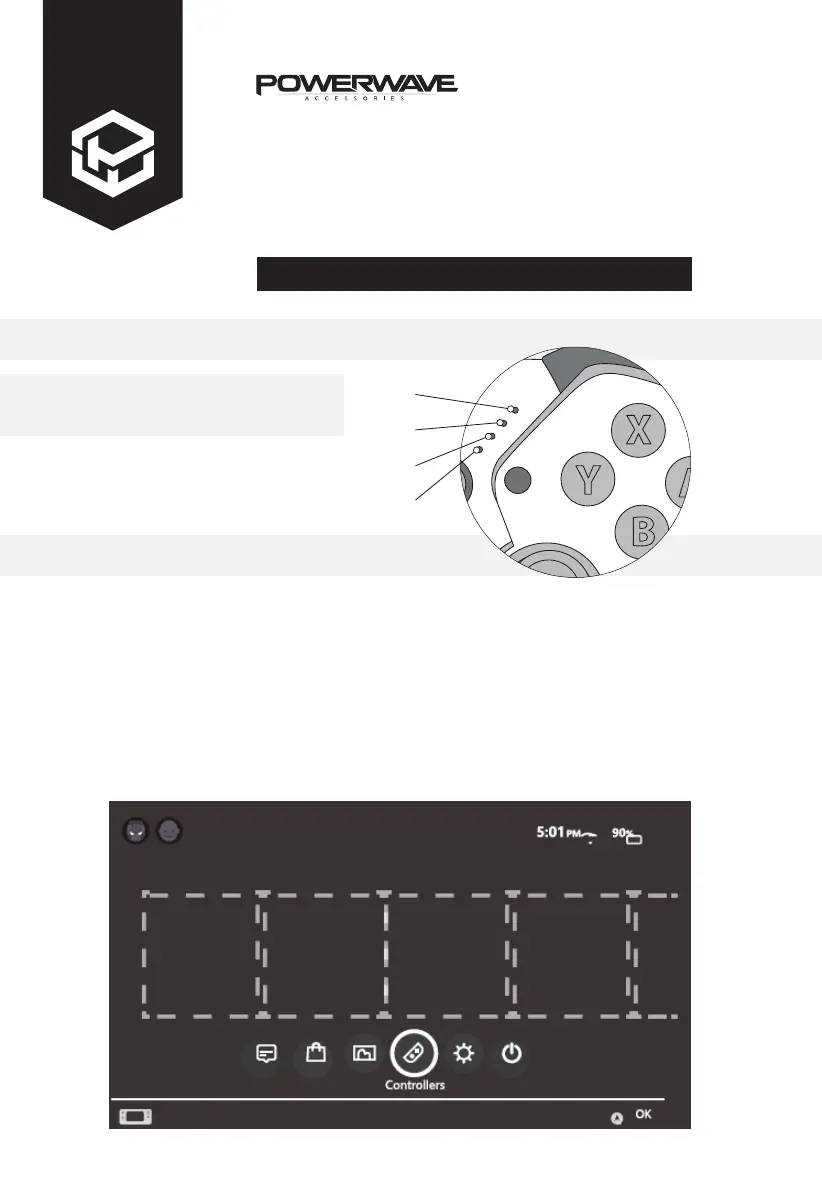
Press and hold HOME button for 5 seconds until the indicator LED lights flash quickly
to enter the Bluetooth search mode. After it is successfully connected, corresponding
channel indicators will remain on.
Note: After the controller enters synchronise mode, it will sleep automatically if it is
not successfully synchronised within 2.5 minutes.
1. Select ‘Controllers’ on your Nintendo Switch™ homepage.
LED 1
LED 2
LED 3
LED 4



 To Next Page