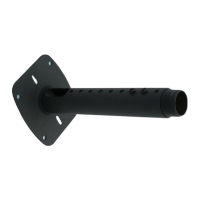
The INW-AM95 is an in-wall box designed to house and conceal media players, set-top boxes, and other AV components, providing a clean and integrated installation solution for displays. This installation guide outlines the steps for mounting the in-wall box and integrating various components, ensuring a professional and discreet setup.
Function Description
The primary function of the INW-AM95 is to create a recessed enclosure within a wall, allowing AV equipment to be hidden from view while remaining accessible. This design helps to eliminate clutter and provides a streamlined aesthetic, particularly when used with wall-mounted displays. The in-wall box is specifically designed to accommodate the AM95 mount, facilitating a seamless integration of the display and its associated media devices. It includes provisions for power, grounding, and cable management, ensuring a safe and organized installation. The internal structure is designed to secure media players and other components, preventing movement and ensuring proper ventilation.
Usage Features
The INW-AM95 offers several features that enhance its usability and integration into various AV setups:
- In-wall Mounting: The core feature is its ability to be mounted directly into a wall stud, creating a flush and hidden compartment for AV components. This is ideal for installations where a minimalist look is desired, as it keeps devices and cables out of sight.
- Component Accommodation: The box is spacious enough to house a variety of media players, set-top boxes, and other small AV devices. It includes a rack mount system to securely attach these components, preventing them from shifting or falling within the enclosure.
- Power and Grounding Integration: The INW-AM95 is equipped with an electrical box that supports both 110V and 220V power connections. This allows for direct power supply to the housed devices. A dedicated grounding screw ensures electrical safety by providing a secure ground connection for the outlet box.
- Cable Management: The design incorporates pathways for routing cables, allowing for organized connections between the housed devices and the display. This helps to prevent tangled wires and simplifies troubleshooting.
- Snap-in Plug Plate and Socket: The inclusion of a snap-in plug plate and universal power socket simplifies power connections for the devices within the box. This feature allows for easy installation and removal of power cords.
- Secure Fastening: The in-wall mount is secured to wall studs using wood screws, ensuring a robust and stable installation. Internal components, such as the rack mount and electrical box, are fastened with machine screws, providing reliable attachment.
- Front Covers: Once all components are installed and wired, two front covers are attached to the in-wall box. These covers conceal the internal components, maintaining the clean aesthetic of the installation. The covers are secured with flat head screws for a flush finish.
- Compatibility with AM95 Mount: The INW-AM95 is specifically designed to work in conjunction with the AM95 display mount. This ensures that the display can be mounted directly over the in-wall box, creating a fully integrated and aesthetically pleasing solution where the display appears to float on the wall with no visible devices or cables.
- Ventilation: The internal design of the in-wall box, including the rack mount, incorporates features that allow for air circulation. This is crucial for preventing overheating of electronic components housed within the enclosed space, contributing to their longevity and reliable operation.
- Ease of Access: Despite being hidden, the components within the INW-AM95 remain accessible by removing the front covers. This allows for easy maintenance, upgrades, or troubleshooting of the housed devices without needing to remove the entire display.
- Robust Construction: The components are made from durable materials, designed to withstand the rigors of in-wall installation and provide long-term reliability. The use of various screw types (wood screws, machine screws, flat head screws) ensures secure fastening for different parts of the assembly.
Maintenance Features
The INW-AM95 is designed with maintenance in mind, offering features that simplify access and upkeep of the housed components:
- Removable Front Covers: The two front covers are easily removable by unscrewing the six 8/32" x 1/4" flat head screws. This provides direct access to the media player, wiring, and electrical connections within the in-wall box, facilitating maintenance, component swaps, or troubleshooting without disturbing the display mount.
- Secure but Accessible Component Mounting: Media players are secured to the rack mount using zip ties, which are easy to cut and replace. This allows for quick removal and re-installation of devices when necessary. The rack mount itself is secured with M4 x 6mm screws, which can be loosened to adjust or remove the mount if needed.
- Organized Wiring: The internal electrical box and cable routing provisions help keep wiring organized. This organization simplifies the process of identifying and tracing cables during maintenance, reducing the time and effort required for repairs or upgrades.
- Standard Fasteners: The use of standard screw sizes (e.g., #10 wood screws, M4 machine screws, 8/32" flat head screws) means that common tools can be used for installation and maintenance, eliminating the need for specialized equipment.
- Grounding for Safety: The dedicated 8/32-3/8" ground screw ensures that the electrical box is properly grounded. This is a critical safety feature that protects against electrical hazards and simplifies electrical checks during maintenance.
- Durable Materials: The robust construction of the in-wall box and its components ensures that it can withstand repeated access for maintenance without degradation. The metal construction provides a sturdy enclosure that protects the housed electronics.
- Clear Installation Guide: The comprehensive installation guide, with its step-by-step instructions and clear diagrams, serves as a valuable resource for future maintenance. It provides a reference for how components were originally installed, aiding in reassembly or troubleshooting.
- Ventilation for Component Longevity: The inherent ventilation design helps to prevent heat buildup, which is a common cause of electronic component failure. By maintaining optimal operating temperatures, the INW-AM95 contributes to the longevity and reduced maintenance frequency of the housed devices.
In summary, the INW-AM95 provides a robust, aesthetically pleasing, and functional solution for integrating AV components behind a wall-mounted display. Its design prioritizes ease of installation, secure component housing, and straightforward maintenance, making it an ideal choice for professional and home theater installations seeking a clean and integrated look.

 Need help?
 General

 To Next Page