17
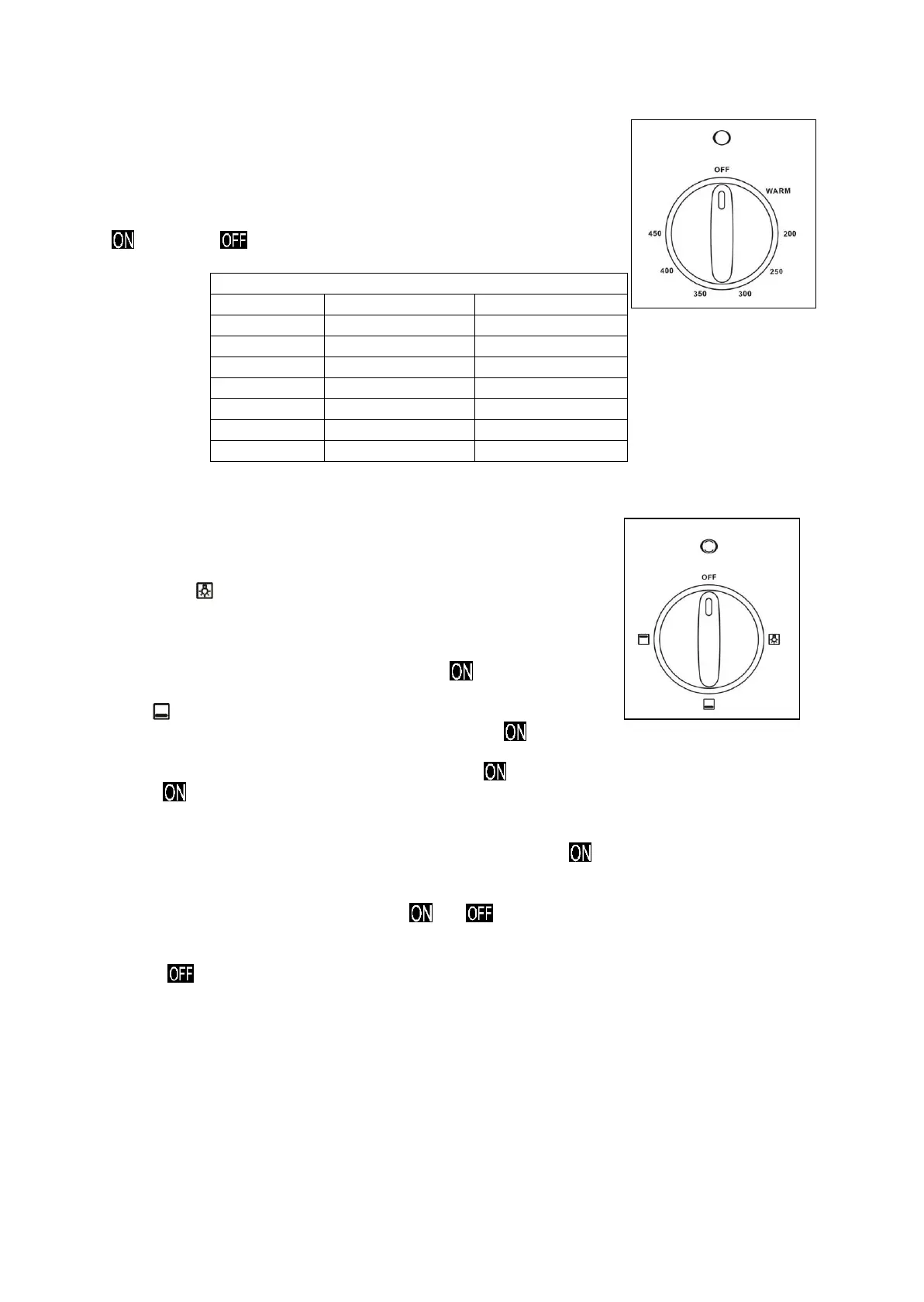
OVEN THERMOSTAT
This only sets the cooking temperature and does not switch the oven on.
Rotate clockwise until the required temperature is reached (From WARM
to 450°F).
The power indicator light signals when the heat elements are switched
or switched .
Temperature Setting Table
Knob Setting Temperature in °F Temperature in °C
WARM 150 65
200 200 93
250 250 121
300 300 149
350 350 177
400 400 204
450 450 232
FUNCTION SELECTOR KNOB
Rotate the knob clockwise to set the oven for one of the following
functions.
Oven Light
The oven is equipped with a light that illuminates the oven to enable
visually controlling the food that is cooking.
By turning the knob onto the setting, you light the oven cavity.
The oven remains lighted while any of function is .
Bake
In this setting only, the hidden lower element is switched . Heat is distributed by natural convection.
The thermostat can be set from WARM to 450°F.
During the operating, the oven indicator light is turned . During operation the oven indicator light is
always .
To bake, use the following steps:
1. Place the rack in the correct position, before turn the oven .
2. Turn the function selector knob to the Bake position.
3. Turn the thermostat control knob to the desired temperature.
4. The bottom heat element will cycle and to maintain the selected temperature. Check
food for doneness at minimum time on recipe. Cook longer if necessary.
5. When baking is completed, turn the function selector knob and thermostat control knob to the
position, open door fully and remove the food.
For best cooking results, always remember that hot air must circulate around the pans in the oven so
that even heat reaches all parts of the oven. Therefore, place the pans in the center of oven and allow
at least 2” space between pan and the surface of cavity.


 To Next Page