9
Fig. 1.2
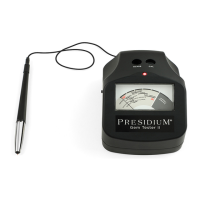
Switch the tester to the ON position, wait for
approximately 20 seconds for the initial warm-up
period (Fig. 1.3). At this point, it is quite common if the
reading slightly above zero is indicated on the meter.
Fig. 1.3
Testing to ensure your Presidium Gem Tester II is
functioning properly
Calibration (CAL) test disc
• Press the probe tip onto the calibration (CAL) test
disc located on the right of the indicator lamp (Fig.1.4).
Apply sucient pressure to retract the protruding tip
completely into the probe pen. The indicator should
rise to and remain within the red strip (preferably at
the center of red strip) with “CAL” printed on top,
within two to three seconds.


 To Next Page
 Loading...