Changes the Clock Source for Chained FireStudio-
family Devices
The StudioLive cannot slave to an external clock.
However, if you are cascading it with FireStudio-family
products that do feature digital inputs, the clock source
becomes selectable.
The clock source setting will determine where the device
chain is receiving word-clock information. This keeps the
chained devices in sync with other digital devices and
with each other. The menu options are determined by the
available digital inputs in the chain.
In general, you will want the StudioLive to be your Master
Clock, in which case set the clock to StudioLive-Internal.
VSL Virtual StudioLive Quick Start Guide
Universal Control: Launch Window
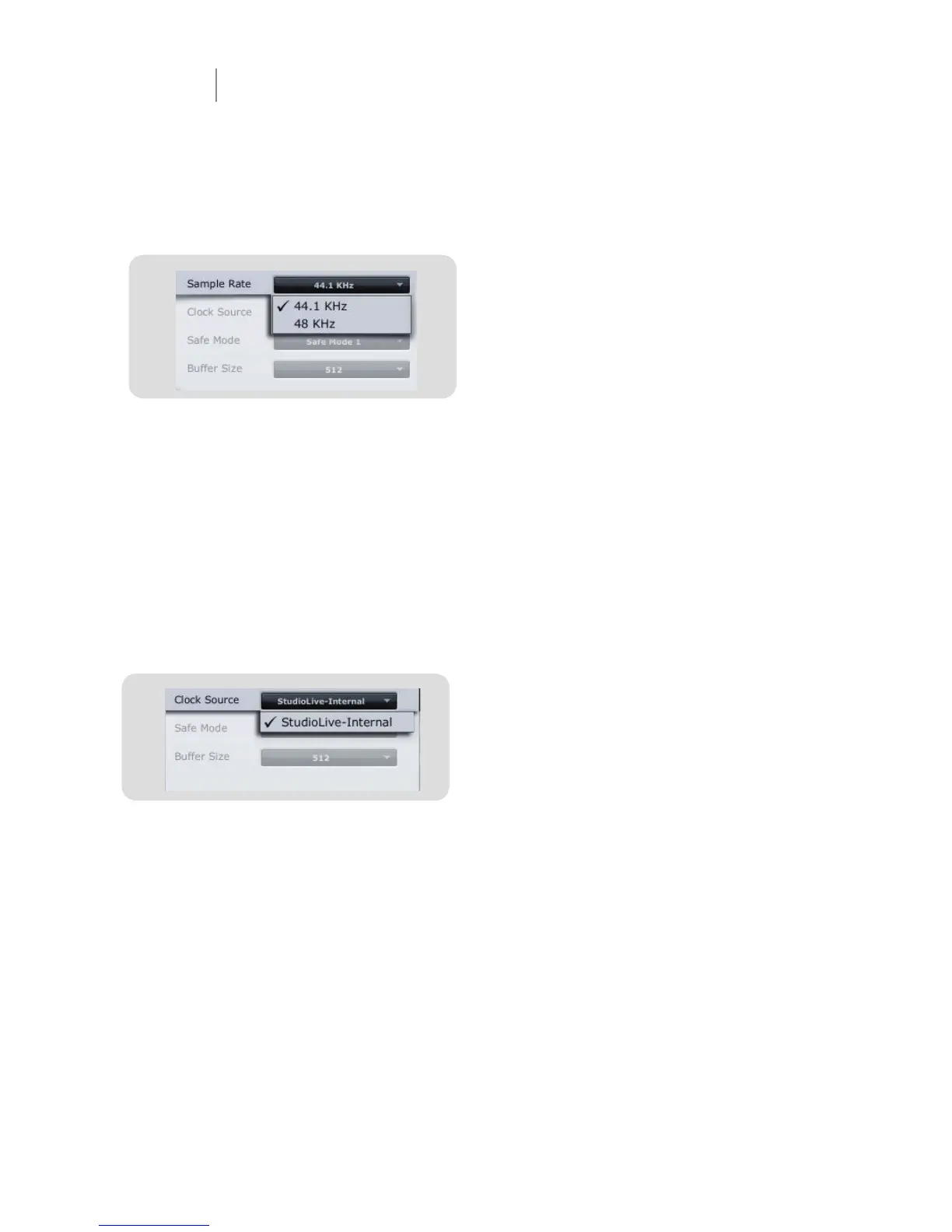
Sample Rate Selector
Changes StudioLive Sample Rate.
Set the sample rate to 44.1 or 48 kHz from the Launcher
window when your StudioLive is connected to a computer.
A higher sample rate will increase the fi delity of the
recording. It will also increase the fi le size and the amount
of system resources necessary to process the audio.
To ensure the safety of the audio equipment connected to
it, the StudioLive will mute all post-converter outputs for
two seconds when the sample rate is changed or when
the mixer is connecting to a computer. This includes the
main and the control-room outputs, as well as the aux
and subgroup outputs. While this offers a good measure
of protection to your sound system, it could put the
brakes on a live show. Because of this, it very important
that the sample rate be selected and locked in prior to
beginning any recording or performance.
Clocksource


 To Next Page
 Loading...