www.prestigio.com
Finger tips
Charge the battery
Connect to your PC
Rotate the screen
Lock and unlock the screen
Use the notications panel
Enter text
System update
Status icons
Flick
• Flick left or right on the home screen or the
applications screen to see another panel. Flick
up or down to scroll through a web page or a
list, such as contacts.
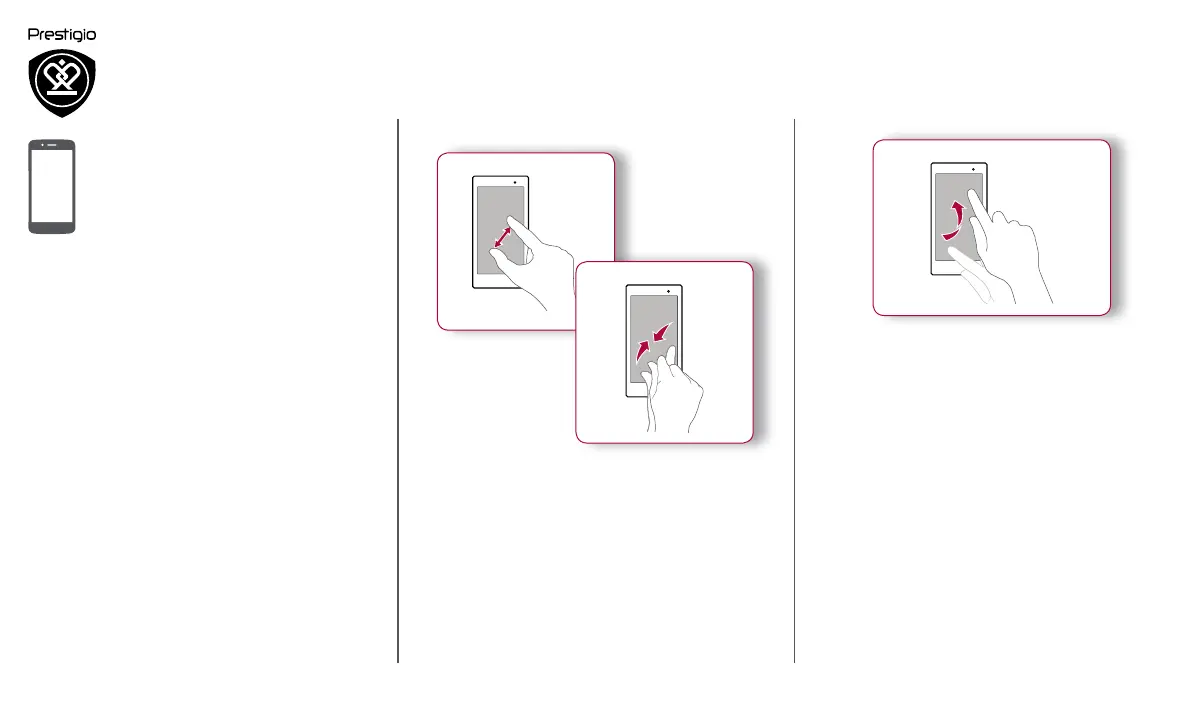
Zoom in
Zoom out
• Spread two fingers apart on a web page, map,
or image to zoom in a part.
• Pinch two fingers together on a web page, map,
or image to zoom out a part.


 To Next Page