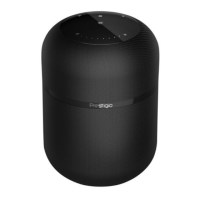
2. Hold the Play / Pause button (within 2 seconds) to switch between equalizers. By
default, the speaker has 3 equalizers.
3. Press the Volume Up button once to increase the volume level.
4. Hold the Volume Up button (within 2 seconds) to turn on the next song.
5. Press the Volume Down button once to decrease the volume level.
6. Hold the Volume Down button (within 2 seconds) to turn on the previous song.
Incoming Call
1. Press the Call Control button once to accept an incoming call.
2. Hold the Call Control button for 2 seconds to reject an incoming call.
3. Press the power button once to end the conversation.
Equalizer Control
Press and hold the Play / Pause button for 2 seconds to switch between equalizers.
By default, the speaker has 3 equalizers.
Activating Voice Assistant
1. Make sure that the speaker and your smartphone are connected via Bluetooth
(see “First Use”).
2. Hold the Call Control button for 3 seconds to activate the voice assistant on
your device.
3. Use the microphone located at the top of the speaker to ask a question to the
voice assistant.
Pairing two Prestigio Superior speakers (TWS mode)
Owners of two Prestigio Superior speakers may connect them in TWS mode.
1. Turn on both speakers. Make sure one of the speakers is connected to your
device and the other is waiting for pairing (not connected to anything). The
connected speaker performs the function of the main one, and the one that is
waiting for pairing serves as an auxiliary one.
2. Hold the Bluetooth button on the main speaker for 3 seconds to initiate pairing
between the main speaker and the auxiliary one.


 To Next Page
 Loading...