2
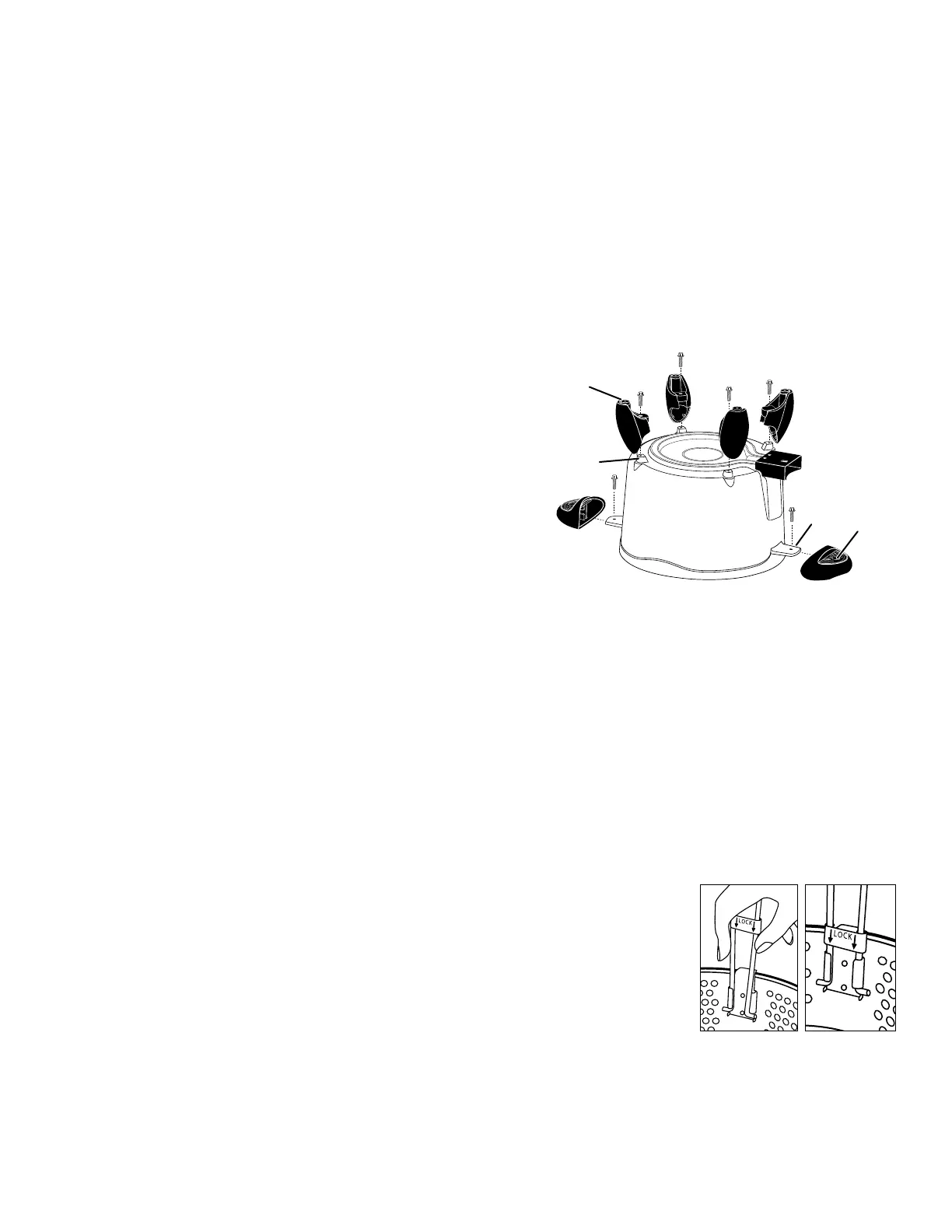
Leg
Mounting
projection
Screws
Rubber foot
Handle
Screw hole
Fig. A
Plug guard
Tab
Fig. CFig. B
Important Cord Information
Thisappliancehasapolarizedplug(onebladeiswiderthantheother).Toreducetheriskofelectricshock,thisplugisintendedtot
intoapolarizedoutletonlyoneway.Iftheplugdoesnottfullyintotheoutlet,reversetheplug.Ifitstilldoesnott,contactaqualied
electrician. Do not attempt to modify the plug in any way.
A short power supply cord is provided to reduce the risk of becoming entangled in or tripping over a longer cord. DO NOT USE WITH
AN EXTENSION CORD. Do not allow the cord to run underneath or around the unit. The magnetic cord may not detach easily if the
cord is positioned in this fashion.
Connect the power supply cord to a 120VAC electrical outlet only.
How to Attach Legs and Handles
Tools Required: #2 Phillips screwdriver
Parts Included: 4 Legs, 2 Handles
Attach Legs to Base
1. Place the multi-cooker upside down on the table or counter.
2. Using a Phillips screwdriver, remove the screws from the mounting
projections on the bottom of the multi-cooker (Fig. A) and set aside.
These screws will attach the legs to the base.
3. Position one of the legs, with the rubber foot facing up, over one of
the mounting projections. Align the hole in the leg with the hole in
the mounting projection and fasten securely with the screw. The leg
should not rock or move if twisted.
NOTICE: Continuing to tighten, once secure, can result in the stripping
of screws or the cracking of legs.
4. Repeat step 3 for other three legs.
5. Turn the multi-cooker right side up on the table or counter. When
properly assembled, the multi-cooker should sit level with no leg rock.
Attach Handles to Base
1. Place the multi-cooker upside down on the table or counter.
2. Using a Phillips screwdriver, remove the screws from the tabs on each side of the base and set aside. These screws will attach the
handles to the base. HINT: When removing the screw under the plug guard, hold the screwdriver at a slight angle or use a short
screwdriver or a screwdriver with a long shank.
3. Slide one of the handles, with the screw hole up, onto the tab so the hole on the tab aligns with the hole on the handle (Fig. A). Fasten
securely with the screw. The handle should not wobble, but slight movement from side to side is normal. NOTICE: Continuing to
tighten, once secure, can result in the stripping of screws or the cracking of handles.
4. Repeat step 3 for other handle.
5. Turn the multi-cooker right side up on the table or counter. When properly assembled, the handles should be parallel with the table
or counter.
Attach Basket Handle
1. Slide lock bar up on the handle (Fig. B). Place one of the handle bars into one of the tabs on bracket.
Squeezethehandlebarstogetherandttheotherhandlebarintotheoppositetabonbracket.
2. After attaching the handle to the basket, make sure to slide the lock bar down (Fig. C) to the locked
position to insure against accidental detachment of the handle from the basket. Check before each
use to assure the handle is still properly secured.
Before First Use
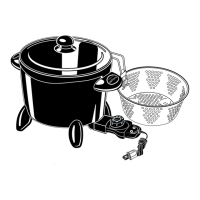
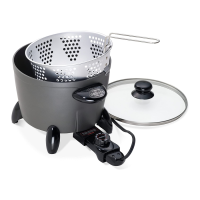
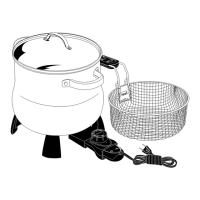
This versatile electric multi-cooker braises, steams, boils, deep fries, and more. It is also great for making soups, stews, and desserts.
Beforeusingthemulti-cookerforthersttime,becomefamiliarwiththevariousparts(Fig.D,page3),readtheinstructionscarefully,
and wash it according to the “Care and Cleaning” instructions on pages 3 and 4.
NOTICE: This appliance is not intended to melt wax, gels, plastics, or other materials for making candles or for other hobbyist activities
orinanycommercialorbusinessapplication.Usingthisapplianceforpurposesdifferentfromthosespeciedintheinstructionmanual
may cause damage to the appliance and will void the warranty.


 To Next Page
 Loading...