12
english
SUCCESSFUL GROWTH WITH THE PRÊT À POUSSER APP
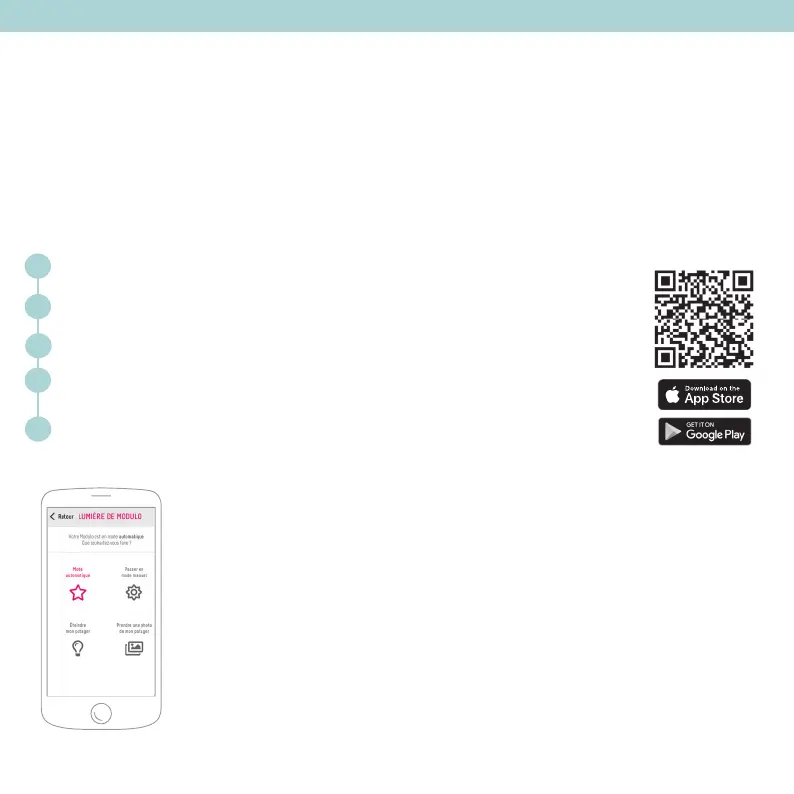
Automatic mode: for lamp settings that are adapted to the
plants you are growing
Pair the lamp to your smartphone using Bluetooth®
With the PAP app, we’ll walk you step by step throughout your plants’ growth (tips, tutorials, recipe ideas)
and the Customer Service team will be at arm’s reach.
The Prêt à Pousser app allows you to control your lamp. Step one: pair your lamp to your phone.
1
2
3
4
5
Not all plants have the same light requirements in order to grow up. By choosing the
automatic mode, the mobile app will choose the best light intensity and duration for
the plants you have declared.
Plug in your lamp. Bluetooth® is automatically activated.
Enable Bluetooth® on your smartphone.
Download the Prêt à Pousser app and create your account.
The app will ask which model you own and the plants you have chosen to grow.
To configure the lamp, go to the More > Lamp configuration tab and select your Modulo
indoor garden.


 To Next Page