29
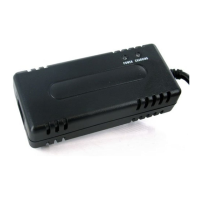
HP006OW BATTERY CHARGER INSTRUCTIONS
1. OPERATING INSTRUCTIONS
(1) Make sure the power cord, charger and battery connector are in good condition.
(2) Make sure the output voltage of the charger is the same as the connecting battery.
(3) Connect the plug of the charger with the battery, and then plug the AC power plug
into an outlet.
2. LED INDICATIONS
Red light on: Power on, disconnect with the battery
Orange light on: Charging
Green light on: Fully charged
3. TROUBLESHOOTING
(1) RED light is off when power is on:
Check if the input power cord of the charger has been plugged into the socket
and if electricity passes from the outlet. If YES, please send the charger for repair.
(2) ORANGE light is off during charging:
Check if the charger and battery connectors are correctly connected and if they are
in good connection. If the battery is not fully charged, the battery may be defective.
(3) ORANGE light turns to GREEN immediately:
Check to see if the battery is fully charged. If not, the charger maybe defective.
Please send the charger back to the manufacturer for repair.
4. CAUTION
(1) For indoor use only. Do not expose to rain.
(2) Please switch off the power supply before removing the charger from the battery.
(3) Do not get close to explosive gases or sparks and put the charger in a well-ventilated
area during charging.
(4) Use the charger only with 24V lithium batteries.



 To Next Page