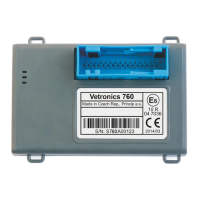
Vetronics 760
-11-
7.7. What to do if the fault failed to remove?
If you have done all of the previous checks and the unit is still not fully functional, try to connect another unit
that you know it works. If this unit does not communicate it will probably be a connection error and try repeating the
tests. If the reference unit is fully functional there is no error in the connection but in the checked unit. Do not open
or perform any other interference with the internal system in any way. There are no components in the unit that
could be repaired without other specific tools so send it to the vendor for complaint procedure. The product waives
all warranties if it has been mechanically damaged or the warranty seal has been violated.
Before sending the unit to repair you can use the telephone consultation with the technician from the service
department. In many cases a malfunction can be removed remotely without the need to send the unit. Our service
department is able to remotely diagnose and reconfigure or change the firmware.
7.8. Quality
We pay great attention to the quality of production. Each unit undergoes many tests in production and the
results are recorded. The final inspection is performed prior to distribution. However, the unit may not function after
mounting. Usually, there is a problem with the installation of the unit. However, the supplied unit may not work.
These cases are addressed responsibly, and due to ISO quality management, each case is evaluated and serves to
improve individual processes for the future. Thank you for your possible comments.
We wish you many mileage with our product.


 To Next Page
 Loading...