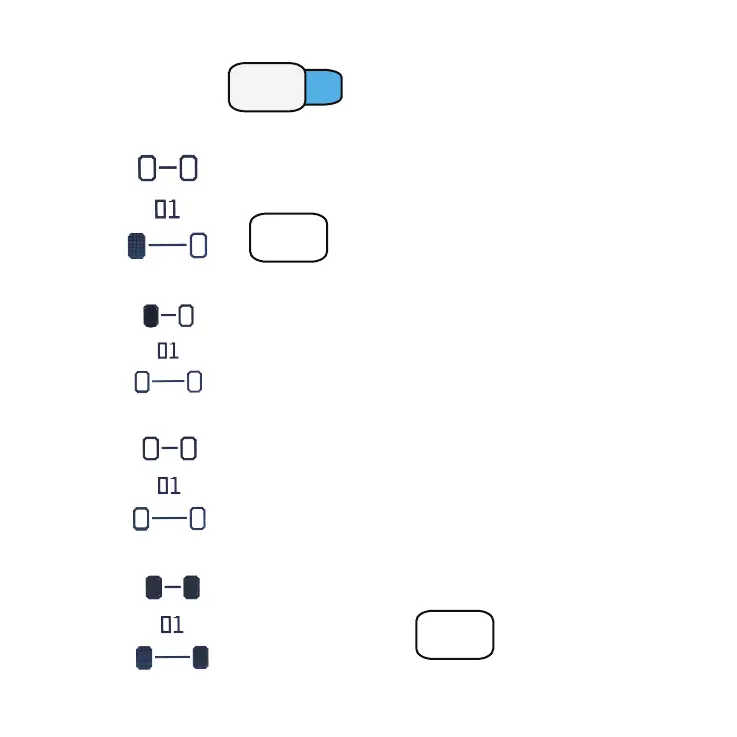
1 - Power ON
Press button
Auto Power off after 2,5 minutes if inactivity.
To Power off manually , press and hold the
ON/OFF button.
2 - The display shows the test number [ 01 ] :
Measure and set the pressure of the tire shown on the
display. When the pressure is set, press MEM button
to save it
MEM
3 - The display shows the saved pressure value and the next tire to measure
1.65
Repeat the procedure for the other tires.
4 - The display shows all the saved pressures value - COLD TIRES PRESSURE
1.50
1.50
1.65
1.65
5 - Repeat the same procedure for the HOT TIRES PRESSURE
1.50
1.50
1.65
1.70 1.65
1.85 1.80
+0.20 +0.15
+0.15+0.20
For a new Test press
MEM
MENU
L1
PRESSURE GAUGE MODE


 To Next Page