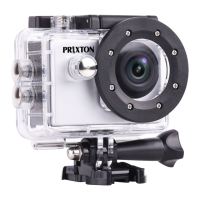
Remove the battery: open the battery compartment to take the battery out;
Charge the battery (the RED LED light at the left will be on).
Battery Charging:
1. Connect the computer or the power adapter can be charged.2. Connect to the car charger
can be charged in the car.
3. Can be charged while in video function.
Indicator light
Working LED light: Blue light
Charging LED right: Red light, keep constant red when in charging, and will be off when
charging full.
Video Mode
1. To record video, verify the camera is in Video mode.
2. If the video icon displays “ ”on screen, press the OK Button to start video recording
accompanied with the blue light flashing.
3. Press OK Button again to stop the video, the blue light will stop flashing and emit a beep
sound.
Photo Mode
1. To take photo, verify the camera is in Photo Mode.
2. If the photo icon“ ”displays on screen, press OK Button to take photos.
Back & Front Screen Switching
Long press Down Button, Back screen and Front screen can be switched to the video and
photo, the back screen goes off after switching the front screen display, and the front screen
goes off after switching the back screen display.
Connect HDMI
Connect camera to HDMI-TV via HDMI cable, current operation can display in high definition
HDMI-TV screen.
Connect PC
Connect camera to PC and turn on camera, screen will display with 2 modes: USB Mode,
Charging Mode. Press Up and Down Button to choose the mode you prefer.
USB Mode: Press OK Button to enter the USB mode for playback the video and photo.
Charging Mode: Press OK Button for charging.
APP Installation
Please download and install “XDV-PRO” APP on your smart phone:
For Android: Search and install “XDV-PRO” on Google Play store.
For iPhone: Search and install “XDV-PRO” on Apple APP store.
Or scan the QR code to download:


 To Next Page
 Loading...