5.3.4 Heart rate
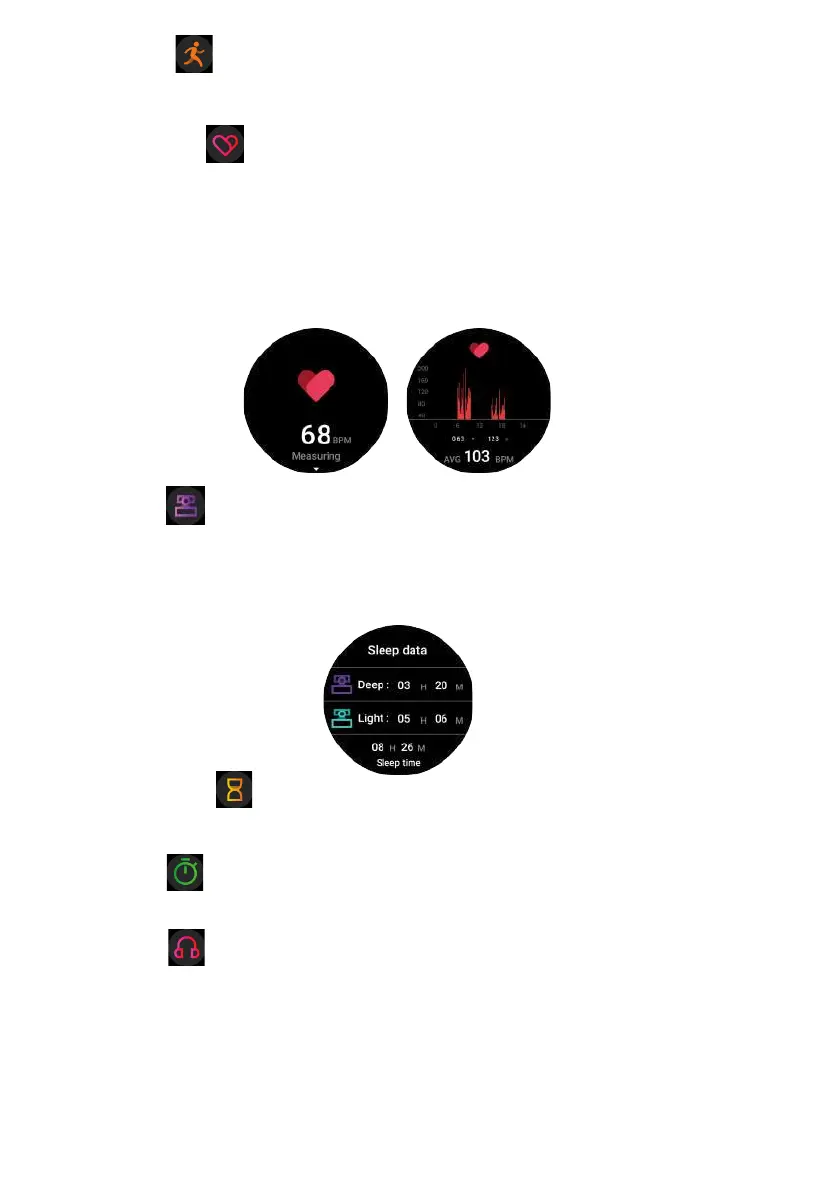
(1) Function introduction: The watch will measure the user's heart rate under the heart rate
measurement interface. After the test is completed, the vibration will display the result.
After no operation, the screen will automatically go out.
(2) Operating instructions: Swipe to the left on the main interface and click the heart rate
static icon to switch to the heart rate measurement interface. Once the interface is
entered, the measurement will start. During the measurement, the interface value will be
zero. After the measurement is completed, the value will be displayed.
5.3.3 Sports
In sports mode: the single-point function icon allows you to enter sports modes such as
Walking, Running, Climbing, Riding and Basketball.
5.3.5 Sleep
(1) Function introduction: The watch will display the user's sleep time the night before.
(Sleep measurement time 21:30 - 12:00 next day)
(2) Operation instructions: Swipe the main interface left and right, click sleep to switch to
the sleep interface, you can view the sleep time of the previous day.
5.3.6 Countdown
You can choose 1min, 5min, 10min, or set any time you want to use countdown function.
You can pause/start switching with a single touch.
5.3.7 Timer
Click to start timing. During the timing, you can start/pause/reset switching with a single
touch.
5.3.8 Music
After connected with the Bluetooth, you can manipulate Mobile to play music and adjust
the volume, voice will come out from mobile phone.


 To Next Page
 Loading...