© Pro-Ject Audio Systems · Stream Box S2 Ultra · Revision 2018.07.26
Ethernet
Connect the unit with an Ethernet cable to your network to ensure a stable connection to your network music
library and internet services. Ethernet connection is recommended for High-Resolution music playback.
USB inputs
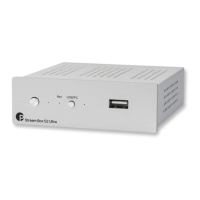
The unit offers 2 USB inputs, one is located on the front panel and second on the rear panel marked as USB,
these inputs allow to connect USB flash disks and drives. When a drive is connected, all the music stored on
it will be automatically indexed and can be accessed from the Browse – Music Library section of the control
screen.
DAC connection
The unit does not include a D/A converter. For connection to a USB DAC use the USB socket on the rear
panel marked as DAC.
Pro-Ject S2 USB DACs can be powered directly from the streamer. Connect USB B cable between
Stream Box S2 Ultra and any of the S2 line USB DAC.
Bypass
The micro USB connector marked Bypass on the back panel allows to connect the unit to a computer or
laptop and to “detox” the USB output from the computer before it reaches D/A converter. This will clean up
the signal coming from your PC or laptop, the unit must be connected to a DAC. The detox mode can be
activated by pushing the USB/PC button on the front or by clicking on the corresponding icon in the control
screen.
Boot
This function is intended only for experienced users who have knowledge about installing a system
into Raspberry Pi computers. Manufacturer takes no responsibility for any damage or malfunction
caused by any change or manipulation with software of the unit. Regular updates of the supplied
software are managed in the Settings>System menu of the unit.
This button allows to boot into different Operating Systems that can be loaded into the internal memory of
the Stream Box S2 Ultra.
The Boot button allows to place the device in bootloader mode, allowing to reflash its software.
- With the device on, press continuously the Boot button for at least 5 seconds
- The device will enter "bootloader mode" and the red Led will start blinking
- You can now access the device as a normal storage device
To exit from Bootloader mode press the USB/PC button once, the LED will become blue.


 To Next Page