3. June 2024 © Copyright 2024, PROCEQ SA 31
5.7.2 Marking preference
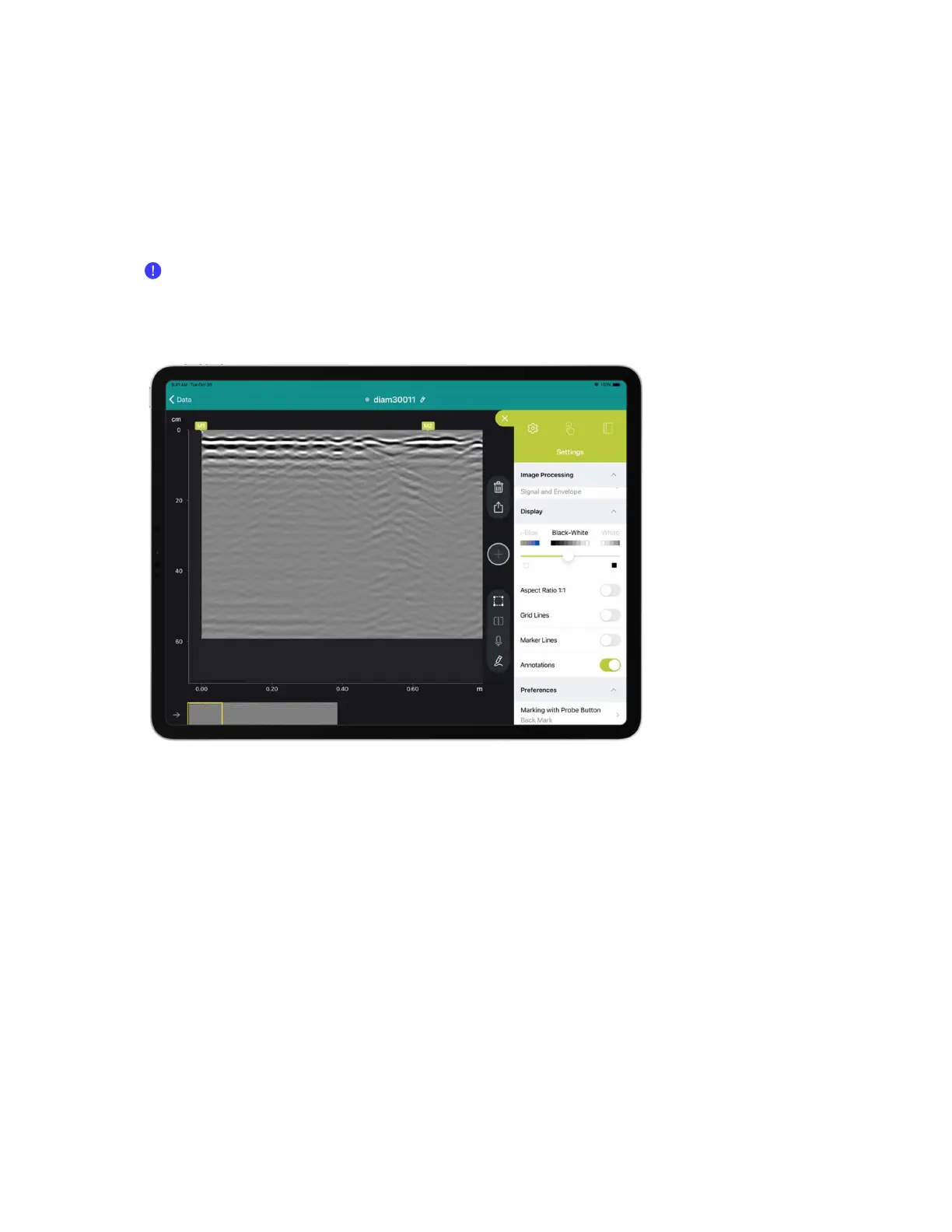
GP software proposes two alternatives for setting markers in “Marking with Probe Button”
setting in drop down menu.
- Back Mark : Marking by scanning backward
- Forward Mark: Marking by scanning forward
Read section 4.2.3 to know marking button functionality.
Figure 37: GP app software Marking with Probe button setting
5.8 Logbook & Workspace
GP app software provides a logbook in dropdown menu that collects automatically the following
meta-data (see Figure 38):
- Sensor serial-number
- Software licence owner
- Geolocation
- Measurement setting changes
The user can also add the following information:
- Pictures of the site
- Relevant snap shot
- Text & voice notes


 To Next Page