Need help?
Do you have a question about the Prodipe Pod3 and is the answer not in the manual?
Key safety guidelines for operating the appliance safely and correctly, including warnings and precautions.
Lists all components included in the product packaging for the Pod3 system.
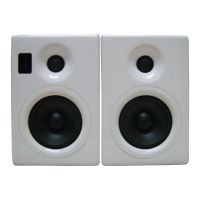
Details the components and functionalities located on the front of the speaker.
Describes the ports and controls found on the back of the speaker.
Important considerations and warnings before connecting the audio system.
Instructions on how to connect the left and right speakers using provided cables.
Guidance for connecting the speakers to audio sources like PCs or music players.
Steps and compatibility for connecting iPod devices to the system.
 General
| Configuration | 2-Way |
|---|---|
| Tweeter Size | 1" |
| Weight | 3.4 kg |
| HF Driver | 1" Silk Dome |
| Input Impedance | 10kΩ |
| Inputs | RCA, TRS |

 To Next Page