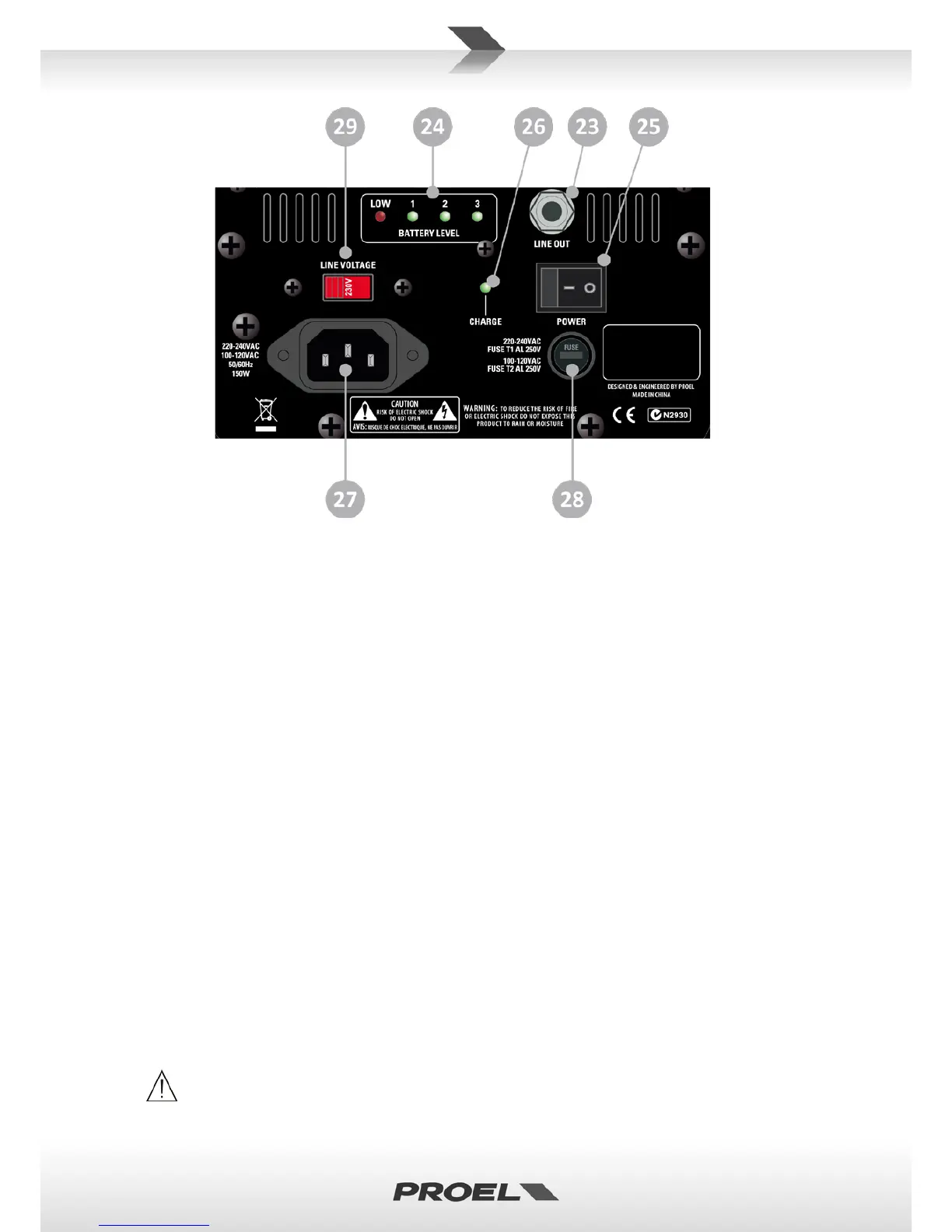
23. LINE OUT (balanced)
Balanced output with line level: connect it through a cable to the input of another device or active
speaker.
24. BATTERY LEVEL
This LED bar indicates the battery charging status as follows:
- 3 GREEN: the internal battery is fully charged.
- 2 GREEN: the internal battery is half charged.
- 1 GREEN: the internal battery is near to be exhaust, you have to re-charge it as soon as possible.
- LOW/RED: FREE10LT cannot be used disconnected from mains and you must re-charge the
battery.
- OFF: the internal battery is disconnected or not present.
25. POWER
Use this switch to power ON or OFF the FREE10LT. The FREE10LT is "ON" when the switch is in the "I"
position. NOTE: The internal battery is charging even if the FREE10LT is OFF.
26. CHARGE
This LED indicates the battery charging status as follows:
- GREEN: the internal battery is charging.
- OFF: the internal battery is charged
27. AC~ SOCKET
Here’s where you plug in your mains supply cord. You should always use the mains cord supplied with
the device. Be sure that your device is turned off before you plug the mains supply cord into an electrical
outlet.
28. FUSE holder
Here is where the mains protection fuse is placed.
REPLACE THE PROTECTION FUSE ONLY WITH THE SAME TYPE.
IF, AFTER THE REPLACEMENT, THE FUSE INTERRUPTS AGAIN, DO NOT TRY AGAIN THEN CONTACT


 To Next Page