CANALE 8: Ciano
0÷255
Ciano (0 – bianco, 255 – ciano)
CANALE 9: Magenta
0-255 Magenta (0 – bianco, 255 –magenta)
CANALE 10: Giallo
0-255 Giallo (0 - bianco, 255 – giallo)
CANALE 11: Velocità del CMY
0 Velocità massima
255 Velocità minima
CANALE 12: Macro
0-7 Off
128-135 Macro 16
8-15 Macro 1 136-143 Macro 17
16-23 Macro 2 144-151 Macro 18
24-31 Macro 3 152-159 Macro 19
32-39 Macro 4 160-167 Macro 20
40-47 Macro 5 168-175 Macro 21
48-55 Macro 6 176-183 Macro 22
56-63 Macro 7 184-191 Macro 23
64-71 Macro 8 192-199 Macro 24
72-79 Macro 9 200-207 Macro 25
80-87 Macro 10 208-215 Macro 26
88-95 Macro 11 216-223 Macro 27
95-102 Macro 12 224-231 Macro 28
104-111 Macro 13 232-239 Macro 29
112-119 Macro 14 240-247 Macro 30
120-127 Macro 15 248-255 Macro 31
CANALE 13: Ruota effetti
0 -70 Full beam
1÷179
Beam Shaper
180÷191
Filtro frost
14
- Movement resolution
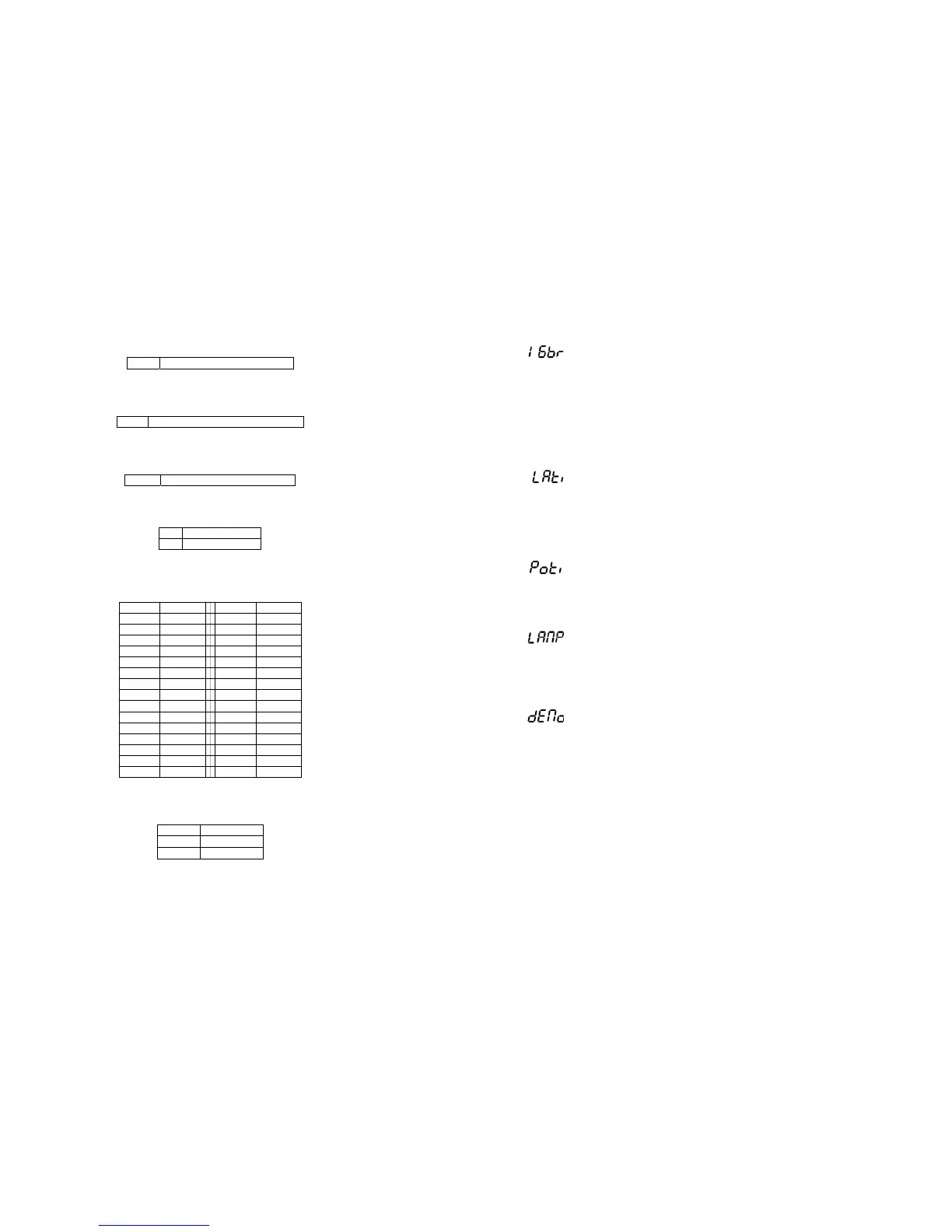
By this function you can adjust the desired movement resolution 8 or 16 bit. Use the “UP”
and “DOWN” keys to select “ON” if you wish the 16bit high resolution or "OFF" if you
wish only 8 bit resolution and press “ENTER” to confirm or “MODE” to cancel and return
to the main menu.
Note:
If you adjust the 16 bit resolution the fixture will occupy 16 DMX channels, if you adjust
the 8 bit resolution, the fixture will be operated by only 14 DMX channels.
- Lamp On time
This option enables you to read the total number of hours that the lamp has been
powered on. Press “ENTER” or “MODE” to return to the main menu. In order to reset the
counter to 0, you have to hold the “UP” and “DOWN” button and press the “ENTER”
button.
- Power On time
By this option you can read the total number of hours that the PLML575E has been
powered on. Press “ENTER” or “MODE” to return to the main menu.
- Switch on / off the lamp
Use the “UP” and “DOWN” keys to select "ON" if you wish the switch on the lamp or
"OFF" if you wish switch off the lamp and press “ENTER” to confirm or “MODE” to cancel
and return to the main menu.
- Demo sequences
This function allows you to run a special demo-test sequences without an external
controller, which will show you some possibilities of using PLML575E. Press “UP” and
“DOWN” keys to select the "MOD1" or "MOD2" sequences. The "MOD1" is suitable for
projections on the wall, ceilling or ground without any head movement, the "MOD2" uses
all PLML575E functions and therefore is good for a complete introduction of the fixture.
47


 To Next Page