3
Practical advice for laminating:
• Before laminating it is advisable to carry out a test lamination to familiarize yourself
and to make sure that your machine is working correctly.
• When laminating both hot and cold pouches we recommend that you leave minimum
margin of 3mm (
⅛ inch) around the edge. If Laminating several objects leave a space
of 6 mm (
¼ inch) between objects. If you need to cut a pouch do so after laminating.
Cutted pouches can leak glue in to your machine. Pouches are also easier to cut ac-
curately when laminated.
Operating instruction:
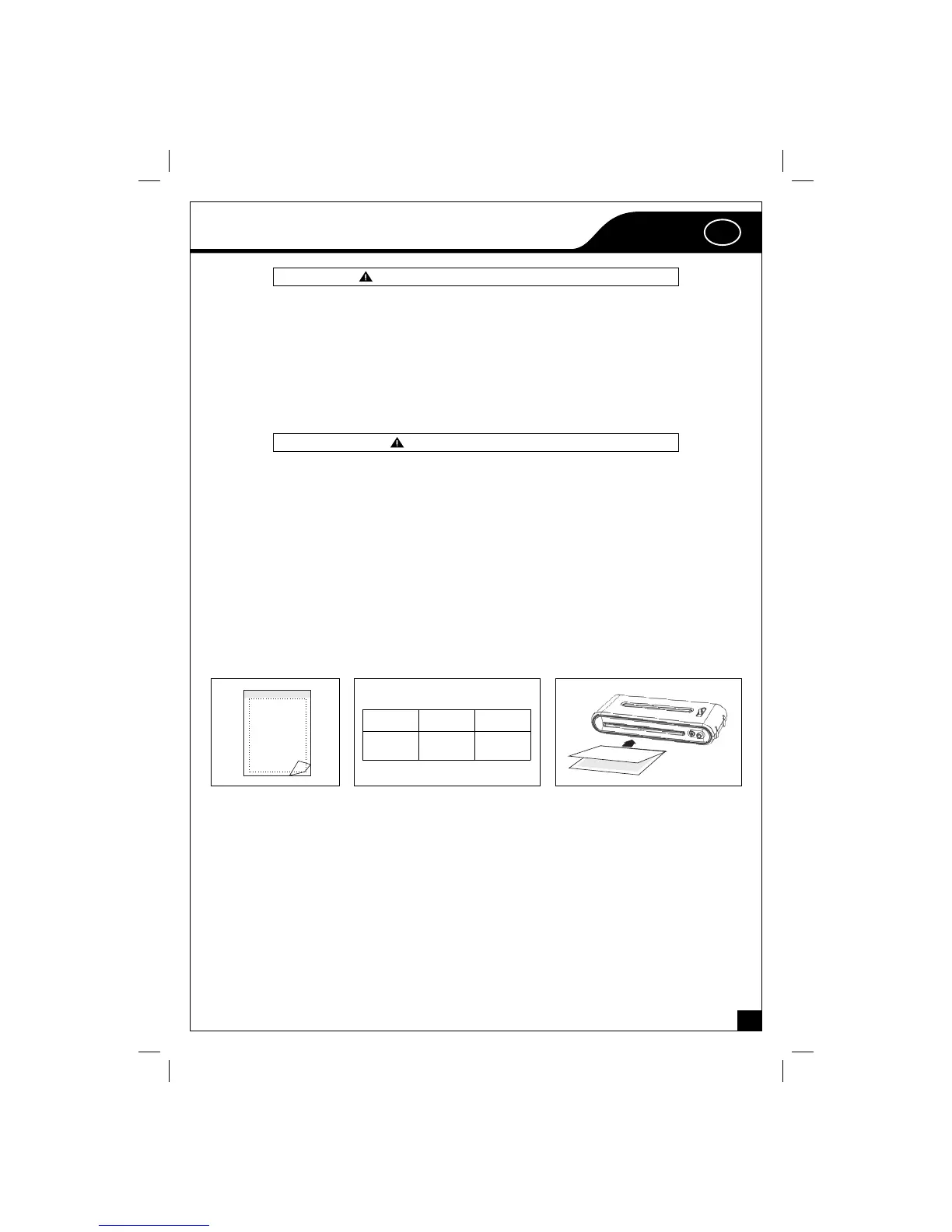
• Switch the power on and the power indicator will turn on red light.
• Select the laminating pouch format according to the size of paper/photo you want to
laminate.
• Place the paper / photo into the laminating pouch, refer to a).
• Adjust the temperature adjustor to the right options, refer to b).
• Red light indicates that machine is heating up.
• Blue light indicates that machine is ready.
• Insert laminating pouch in the front of machine according to the width indication,
refer to c).
• The laminator will feed the laminating pouch through heat rollers to the back of the
machine.
NOTICE:
1. Temperature adjustor can switch cold laminating & hot laminating option between
80 and 100 - 125 mic.
2. Please be sure to turn the selection switch to the right option according to the fi lm.
If laminating 80 mic fi lm pouch at the option of 100 - 125 mic, the fi lm could be lami-
nated excessively. If laminating 100 - 125 mic fi lm pouch at the option of 80 mic, the
fi lm could not be melt completely.
3. For good laminating effect, please take out the fi lm after laminating as soon as pos-
sible.
4. If changing to a thinner pouch type allow time for the machine to cool to the correct
temperature. If changing from hot to cold lamination make sure machine is completely
cooled.
c)a) b)
I: II: III:
cold
80
mic.
100 - 125
mic.
GB
Prolamic_E1230_05.indd 3Prolamic_E1230_05.indd 3 23.09.2008 23:29:1923.09.2008 23:29:19


 To Next Page
 Loading...