User manual Profline SFM.
© Profline
Specifications are subject to change without notice
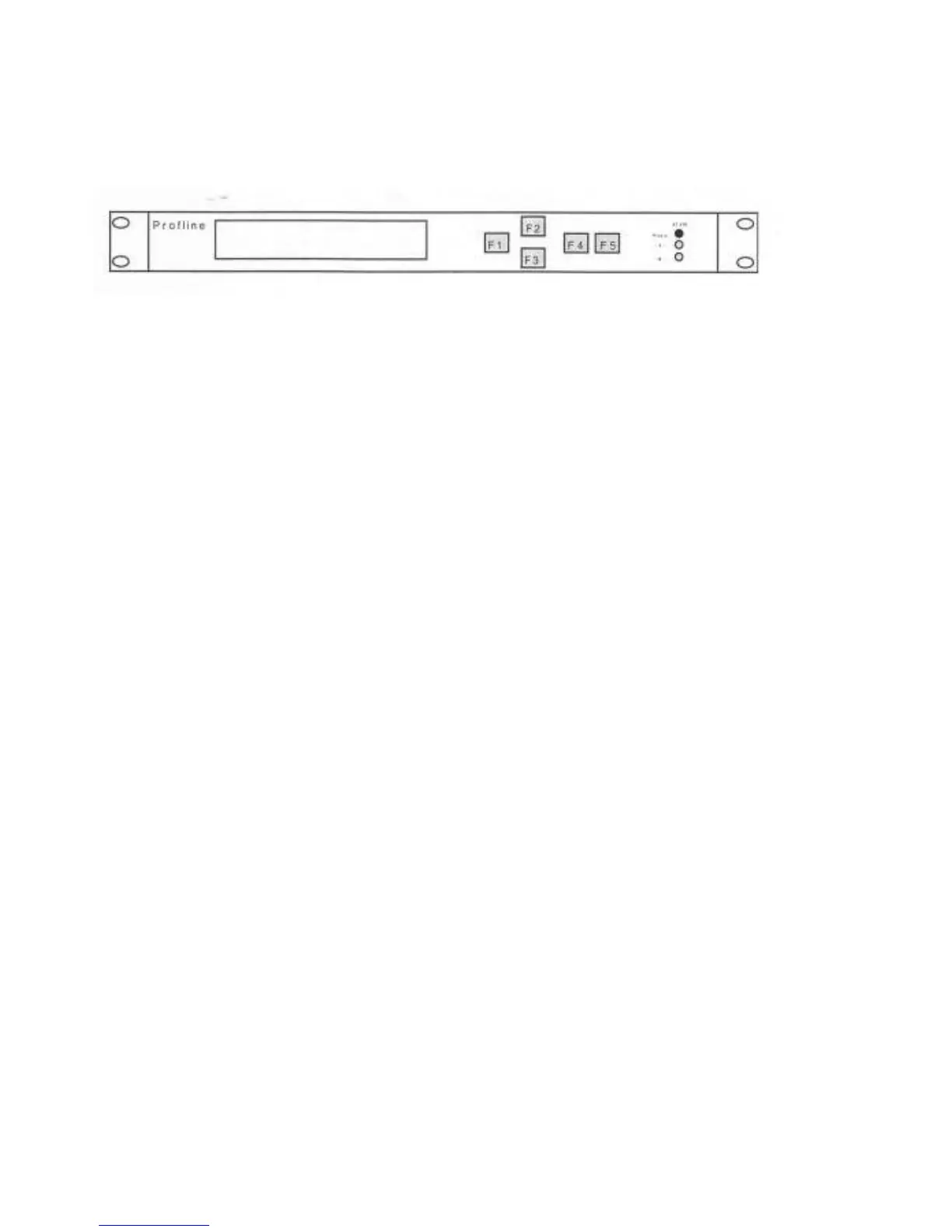
FUNCTION KEY'S
The buttons on the front, are function keys (FI-F5). With this function keys all adjustments can be made at the front of the
SFM.
Fl: STOP INPUT / MENU BACK-STEP
F2: STEP RIGHT / INCREASE VALUE
F3: STEP LEFT / DECREASE VALUE
F4: CONFIRM (ENTER)
F5: OPEN MENU / CLOSE MENU
When a value/preset must be changed, it should be selected first.
* Call MAIN MENU (F5)
* Select the submenu with the flashing cursor (using F2 or F3) that has to be changed and confirm (F4)
* Place flashing cursor (using F2 or F3) on the item at the submenu and confirm (F4)
*
Now change the value/preset (using F2 or F3) and confirm (F4)
* When the value is correct the menu can be closed by pressing F5 (or with Fl to the last menu)
* The new value will now become active
In short:
Step I Call menu (F5)
Step 2 Select (F2 or F3)
Step 3 Confirm (F4)
Step 4 Close all menus (F5) or close sub menu (Fl)
Step 2 and 3, depending of the value to be changed, are to be repeated several times.
For quick in- or decreasing a value, F2 or F3 should be hold for more than 3 seconds. After this period, value steps rapidly
changes until the F-key is released.


 To Next Page
 Loading...