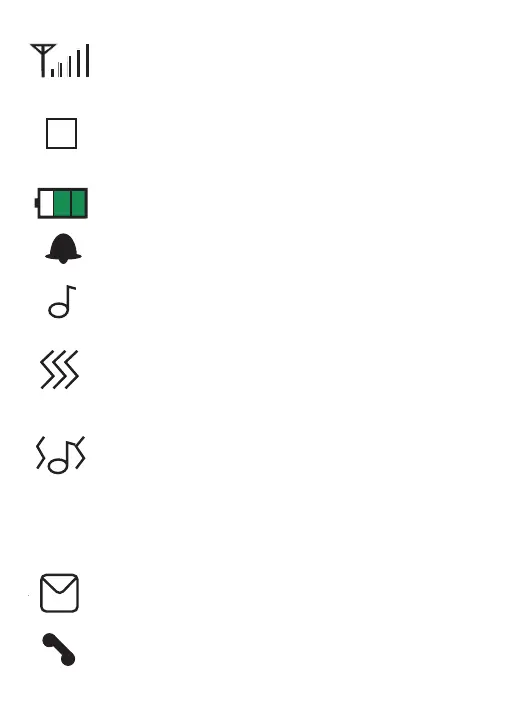
3.3 Display symbols
Signal strength indication.
Indicates you’re connected to a
network other than your provider’s
network.
Battery indication.
The alarm function is enabled.
Indicates that the melody function
for incoming calls is enabled.
Indicates that the vibration function
for incoming calls is enabled.
Indicates that the melody and vibra-
tion functions for incoming calls are
enabled.
You’ve received a new SMS mes-
sage.
Missed, unread, calls.
19
RM


 To Next Page