24
5.3 Speed-dial memories
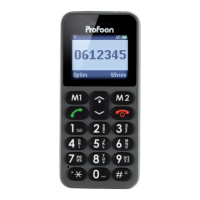
Press and hold the soft-buttons (M1, M2)
to dial the programmed number directly,
see chapter 11.3 on how to program these
numbers.
5.4 Calling from the phonebook
In standby mode, press the right soft-but-
ton (Contacts).
Select the desired number using the direc-
tion buttons.
Press the call button to call the number.
5.5 Accepting calls
Press the call button to accept an incom-
ing call.
Press the power/end button to refuse an
incoming call.
5.6 Calling from the call log
In standby mode, press the call button.
Scroll to the desired number using the up/
down button.


 To Next Page