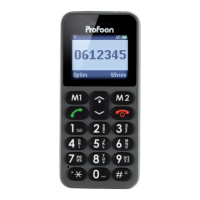
6.4 Contact
Choose a contact that’s already been saved
for the following options:
Tone: View the information entered for this
contact.
Call: Call this contact.
Add to M1-M2: Here you can program
numbers for the M1 and M2 buttons. When
programmed, this number will be dialled di-
rectly when you press and hold one of these
buttons for at least 3 seconds.
Send message: This options allows you to
send a message to the selected contact,
with the number automatically entered as
the recipient.
Edit: This allows you to edit the contact.
Delete: Use this option to delete the select-
ed contact.
Copy: Use these options to copy a contact
to the phone’s memory or to the SIM’s
memory and vice versa.
32


 To Next Page
 Loading...