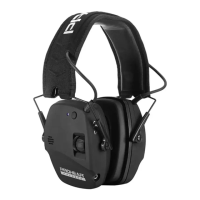
EM030
NRR22dB SNR2 7 dB
USERMANUAL
IDENTIFYMUFFCOMPONENTS
1
PU leather/Foam
(materials of headband and of cushions)
2
Adjustable telescopic rod
3
On/Of switch
4 Volume control
5 Audio input
6 Microphone
7
BT led signal
8
Bluetooth sync button
CE 2834
EN352-1:2020
EN352-4:2020
EN352-6:2020
EN352-8:2020
This product is legislation to Regulation (EU) 2016/425. It is classified as
Category III and tested/certiied by Notiied Body 2834, CCQS
Certification Services Limited, located at Block 1 Blanchardstown
Corporate Park,
Ballycoolin Road, Blanchardstown, Dublin 15 D15 AKK1 Dublin
Country: Ireland
IMPORTANTSAFETYIINFORMATION
Thankyoufor purchasing this Audio injack connecting to phone or MP3
playervia included 3.5mm cable and Hearing Protector with Bluetooth
capability.Thishearing protector isdesignedtoreduceexposureto harmful
levelsofnoise.Togetthe bestcomfort,itandfunctionfrom thisproduct,
Read this User InstructionManual carefullybeforeoperatingthisunit.
Save thisManual for futurereference. Fordetails on noise reduction,
refertothe attenuation table.
Product (electronic ear muffs EM 030)
The electronic ear muffsfeature Bluetoothtechnologywith
independent volume control.For optimum comfort, it andfunction of
the product,it is important to readthe instructions carefully and save
themfor future reference.
Functions
a) Bluetooth Sync function with Mobile device.
b) Sound amplification-Amplify ambient low-level sounds such asfootsteps, whisper
etc
c ) Low Noise/Frequency tuned for natural sound
d) 3.5mm input jack wire that can connect earmuf to listen to MP3 etc(It can work
under when the bluetooth sync is on)
e) Volume control & directional sound.Ergonomics design volume control knob allows
for total adjustment for sound adjustment.
Fitting instructions
Don the ear muffs with the controls over your right or left ear.
CAUTION! Spread the ear cups only enough to clear the ears. Brush hair
from beneath the cushions with your hand as much as possible.
CAUTION! Make sure the cushionssealtightly againstyour head. Foreign
objects (such as pencils) between the ear cup and your head reduce the
eiciency of the ear muff. Use glasses with smallest temple
available (cable type is best). With the headband over the crown of
your head, position the muffs to completely enclose your ears. Spread
the ear cups only enough to clear the ears. Do not reform or reshape the
headband.
CAUTION! The muffs only provide hearing protection when worn
with the headband over the crown ofyour head. Slide the muffs up or
down to adjust for a firm, comfortable it.
a )Push the battery compartment upwards.
b) Insert 2 new AAA batteries. Caution! the correct position of the positive (+)
c ) Wear the ear muffs and adjust the headband until you feel comfortable.
d) Do not cover your hairs and make sure your ears are full covered.
Follow an appropriate hearing conservation program, which includes
adequate monitoring and audiometrictesting, to ensureeffective
hearing protection. Improper use of the hearing protector orfailure to
implement an appropriate hearing conservation program,including
adequate monitoringandtestingcan result in hearing loss or other
serious personal injury.
WARNING!
•Check performance before using this product.
•This product contains small parts that may present a choking hazard. Not for children
under 3 years.
•Hearing protectors in general can blockexternal sounds such as warning calls, alarms,
and other important signals. Pay special attention to what is happening around you
when wearing hearing protectors. Setting the volume too high can further reduce
your ability to hear external sounds, which could expose you to considerable risk
and lead to serious accidents. Adapt the volume to your working situation.
•These ear muffs contain batteries and electrical components that may cause ignitionin
lammable or explosive atmospheres. DO NOT use in environments where sparks
may cause aire or explosion. Misuse can result in injury or death.
•DO NOT use the radio while driving an automobile or bike.The radio and muffs
could block surrounding sounds and increase the risk of having an accident.
•Failuretofollow the warnings and instructions in this User Instruction Manual can result
in serious personal injury or death.
•In noisy environments, the ear-muffs must be worn in the working position at all times.
•The fitting of hygiene covers to the cushions may affect the acoustic performance of
the ear-muffs.
MANUALSEARCH - rotate aTUNE BUTTON or step by step until it
reaches your favorite station.
Setting up Bluetooth Operation -Turn on the Bluetooth function on your phone or other
Bluetooth enabled device. (This function is often found in the phone's settings area.)Turn
on the ear muf and press the bluetooth sync button Look for the screen to display "•••
:
'
moving to the right. In your Bluetooth enabled device (eg., phone) settings, look for a
device that starts with "EM" (for example, EM030 and pair the device with the AM-FM-MP3
ear muf. After the device is paired, wConnected/, will usually appear on the phone's
settings and "-ON-" will appear on the ear muf's BT led signal display.To disable the
pairing, press and hold the Press Bluetooth sync button for 2 seconds.
Press Bluetooth sync button to play or pause music fromyour MP3 player.
Answering a phone call while using the Bluetooth function- When there is a phone call with
a paired phone, there will be a telephone ringing sound in the ear muf.To answer the call,
press the Bluetooth sync button on the ear muf, or the answer button on your phone.
(Note: you may also need to select the Bluetooth function on your phone's audio button
(often found on the answer screen during a phone call.) After the phone is paired, the user
can also still hear a phone call while in the AM, FM or Auxiliary device modes.
BATTERY INSTALLATION
Lift
othe BATTERY COVER to revealthe COMPARTMENT usingthetab
at
the bottom. Be careful not to lose the cover. InsertTWO HEAVY DUTY
AAA BATTERIES ensuringthe polarity iscorrect according tothe diagram
inside the battery compartment. Incorrectly installed batteries could
damagethe unit.To close the BATTERY COMPARTMENT, place cover over
battery vcompartment and snap into place.
WARNING!
a)check that the size of the earmuffs suits you, and that is perfectly
adjusted when yourwear it. Ensure that your headset isfitted adjusted,
and maintained in accordance with the instruction ofthis guide. Do not
wear any protective earmuffs whose size is not suitable.
b)the product is not a toy, keep the earmuffs out of reach of children.
c )Be careful not to drop your hearing protection headset since it
contains electronic components that are sensitive to shocks.
d)keep your headset away from objects emfitting strong radio waves,
since this can degrade the sound quality and risks preventing the
normal operation of your product.
e)do not expose the headset to direct sunlight or high temperatures.
f )To clean your headset, use a sot cloth soaked with a neutral solution.
g)take care to store your headset in a clean and dry location, before
and after use.
h)Headset and the particular cushions may deteriorate with use and
should be examined at frequent intervals for cracking and leakage,
for examples.
i )The fitting of hygiene covers to the cushions may affect the
acoustic performance of the earmuffs.
j )Do not insert any foreign body into your headset, as this could
seriously damage it.
k)Do not allow any liquid to enter your headset, at this could seriously
damage it.
L)In case of immersion or prolonged heavy rain, heave the electronics
of your earmuffs checked by a professional.
Wear the ear muffs correctly
Electronic Bluetooth Hearing Protector


 To Next Page
 Need help?
 General