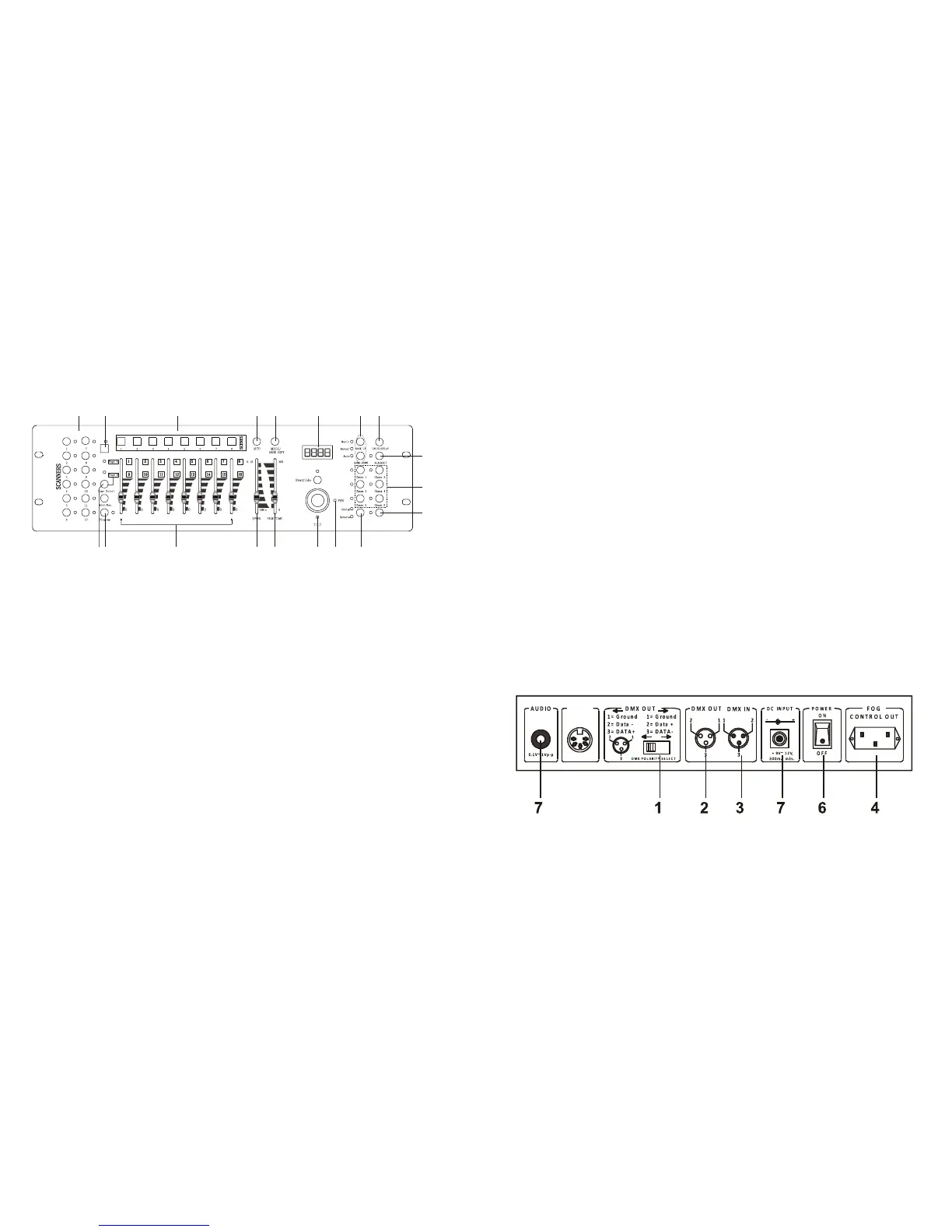
1. Scanner Buttons(1-12) –
2. Scene Buttons –
Press the scene buttons to load or stored your scenes. There are maximum of 240
programmable scenes.
3. Faders –
These faders are used to control the intensity of channel 1-8 or channel 9-16
depending upon the selected page.
4. Page Select Button –
Used to select page between Page A(1-8) and Page B(9-16).
5. Fog Machine Button –
Activates Fog Machin
e.
6. Speed Slider –
Used to adjust the chase speed withi
n the range of 0.1 second to 10 minutes.
7. Fade Time Slider –
Used to adjust the fade time. Fade time is the amount of time it takes for a
scanner(or scanner) to move from one position to another, for the dimmer to
fade in or fade out.
8. LCD Display –
Shows the current activity or programming state.
9. Pan Joystick –
This joystick is used to
control the Pan of the scanner or for programming.
10. Tilt Joystick –
This joystick is used to control the Tilt of the scann
er or for programming.
11. Program Button –
Activates program mode.
12. Auto/Del –
Activates Music mode or to delect scenes or chases.
13. Music/Bank Copy –
Activates Program mode.
14. Bank Up/Down –
Press the Up/Down button to select from 30 banks.
15. Tap/Display –
Used to create a standard beat or to change the value mode between % and
0-255.
16. Blackout Button –
Tap to momentarily pause whole output.
17. Chase Button(1-6) –
Thes
e buttons are used for activating the chase of programmed scenes.
18. Fine Button –
When Fine is on, the Pan or Tilt joystick will control the scanner in the smallest
increment.
19. Mode Button –
Pressing Fine and Mode button
s allows to activate Assign or Reverse mode.
Rear Panel:
1. DMX Polarity Select –
Used to select DMX polarity.
2. DMX OUT –
This connector sends your DMX value to the DMX scanner or DMX pack.


 To Next Page
 Loading...