ID5
Instalasi
3
5. Jika Bluetooth ponsel Anda dihidupkan, lanjutkan dengan
Metode A: Auto Add Configuration, otherwise proceed to
Metode B: Wi-Fi/EZ Mode Configuration or Metode C: AP
Mode Configuration
Metode A: Auto Add Configuration
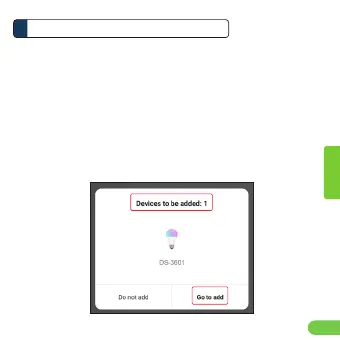
1. Setelah mengetuk Add Device atau
+ dari layar utama,
Anda akan diberi tahu bahwa ada Perangkat yang bisa
ditambahkan
2. Ketuk Go to add
Indonesian


 To Next Page