ID 2
2. Penjelasan
4
1
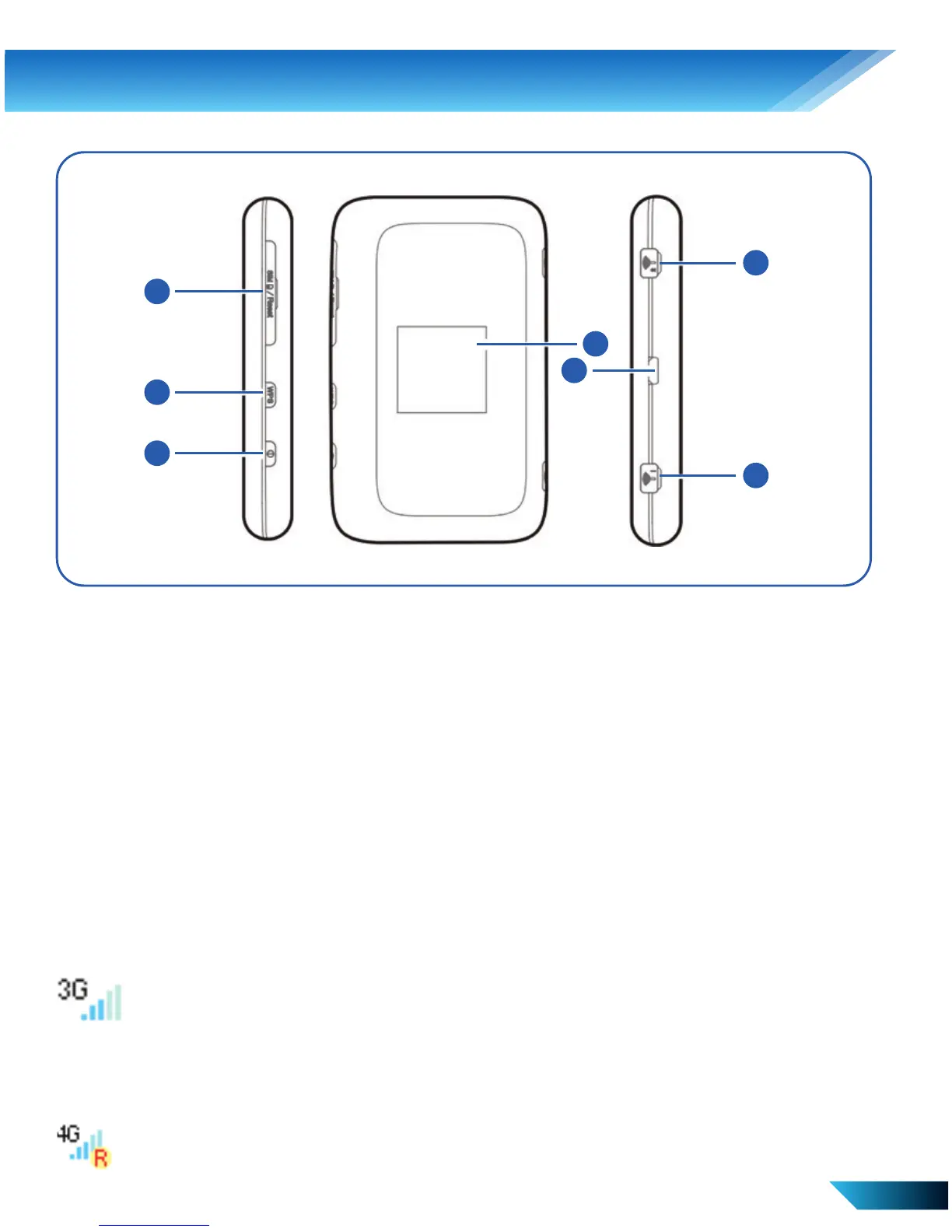
Tombol dan Antarmuka
1. Slot Kartu SIM/USIM /
Tombol Reset
2. Tombol WPS
3. Tombol Power
2
3
4
5
6
7
4. LCD Screen
6. Charger/USB port
7. AUX Antenna Connector
8. Main Antenna Connector
Indikator
Bila perangkat diaktifkan, ikon berikut akan ditampilkan pada layar
LCD. Untuk penjelasan dari ikon, lihat tabel berikut.
Menunjukkan kekuatan signal.
jaringan signal meter. Signal yang di tunjukkan pada layar
tergantung signal yang didapat dari provider.
3G, 4G
Menunnjukkan status roaming.



 To Next Page