4. Web-based Conguration
Pilih Settings > Device Settings Mengubah pengaturan
Administrator, memulihkan
standar pabrik, mengelola
PIN atau mengatur konfigurasi
antarmuka LAN.
Pilih Settings > Firewall Pengaturan Mac / IP / Port
Filtering, Port Forwarding atau
konfigurasi Sistem Keamanan.
Pilih Settings > Router Settings Ubah LAN Router IP dan
pengaturan DHCP.
Pilih Settings > Internet Wi-Fi Terhubung ke Hotspot sebagai
repeater Wi-Fi.
ID 8
Mengaktifkan 2.4GHz / 5GHz Dual Band
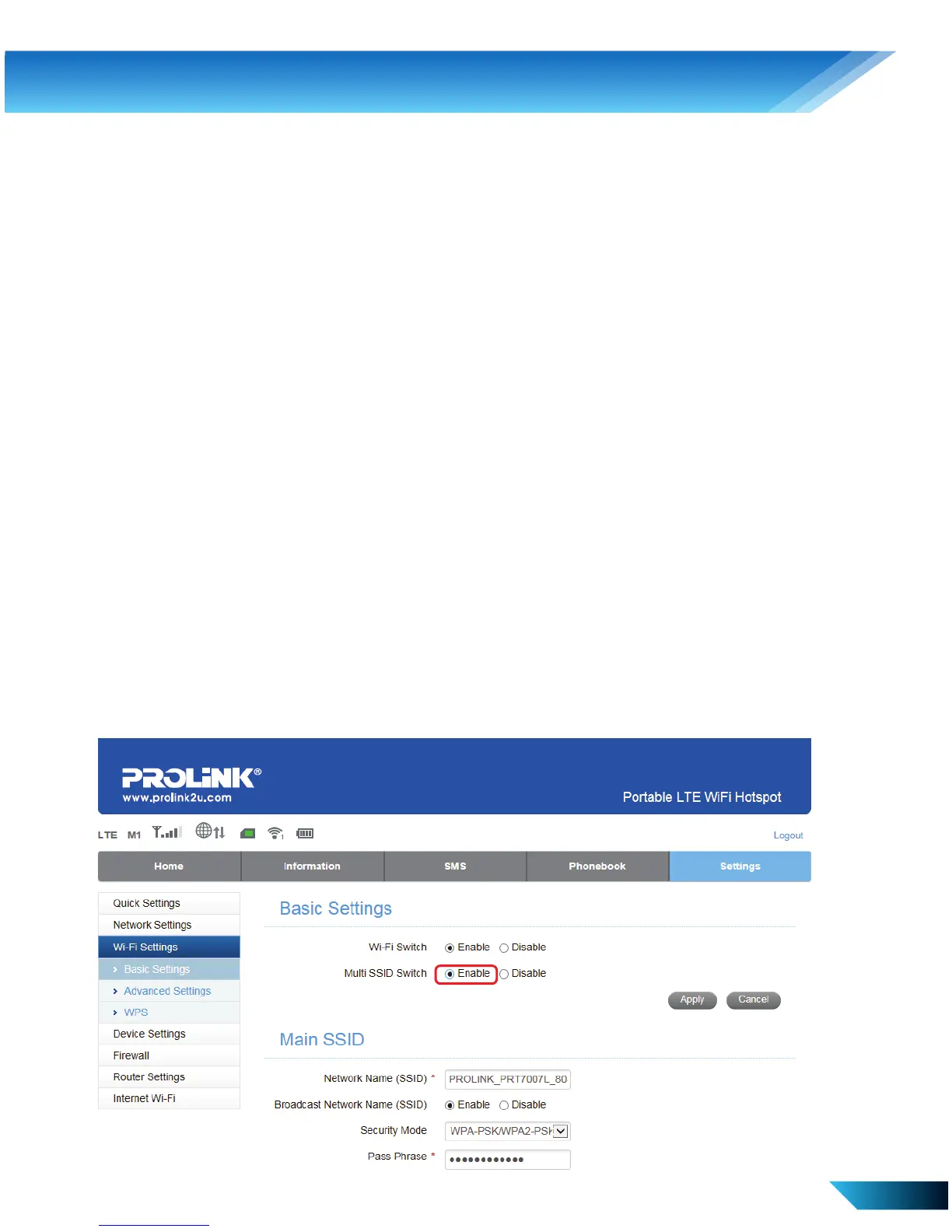
i. Menu settings > Wi-Fi Settings > Basic Settings, klik Enable untuk
Multi SSID Switch dan klik Apply



 To Next Page