Detailed descriptions of product functions:
Guidance and manufacture’s declaration-electromagnetic
radiation-for other EQUIPMENTS and SYSTEMS
Classification
1.Management Class for Medical Devices: Ⅱequipment
2.Anti-electric Shock Type: Internally powered equipment
3.Anti-electric Shock Degree: Type BF equipment
1.One hang lace
2.One user manual
1.Replace the batteries timely when low voltage lamp is on.
2.Clean the surface of fingertip pulse oximeter before it is used to
diagnose patients.
3.Remove the batteries inside if you will not operate the Oximeter
for a long time.
4.It would be better to preserve the product in -10~40℃ (14-104℉)
and humidity is 10%-80%.
5.It is recommended that the product should be kept dry anytime.
A wet ambience might affect its lifetime and even damage the product.
6.Please follow the law of the local government to deal with used batteries.
Maintenance and Preservation
Product Accessories
Xuzhou Yongkang Electronic Science Technology Co., Ltd
4F Building C8 , 40 Jingshan Road , Economic and
Technological Development Zone,
221000 Xuzhou , PEOPLE’S REPUBLIC OF CHINA
MDL MEDICAL
2 Route de Californie - 07100 Annonay - France
Juin 2020
Model: YK-80B
ENSM81202006043/19102910.000/3.09.03.0093
IP22
Settings
Alm Setup
Alm off
off
off
OK
3
Beep
Demo
Restore
Brightness
Exit
*
Settings
Spo2 Alm Hi
Sounds Setup
Spo2 Alm Lo
PR Alm Hi
PR Alm Lo
+/-
Exit
100
85
130
50
+
*
Keys function description: in standby mode, start the key instrument into
the working state, push down this button under working state, can
change the display mode.
note:instruments equipped with accelerometer function , OLED
display mode only1. 2.3.4, no large font interface according to 5.6
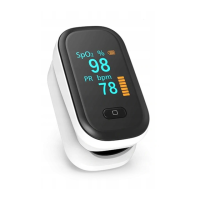
note:The machine profile picture only for your reference use, specific
in kind prevail
Menu 1 Menu 2
wavelength
660±2nm
905±10nm
radiation power
1.8mW
2.0mW
RED
IR
Parameter setup:
Press start button(>3s),into parameter setup .As menu 1:
1.In menu 1,When the “*” signal is shown on the “Alm Setup”, press the
button(>3s)and enter into the menu . 2. Press the button(<1s)can
select item,then press button(>3s)to set the on/off for alarm ,beep,de-
mo and screen brightness adjustment (optional "1" ," 2 "," 3 "and" 4 ").
When the “*” signal is shown on the “Restore”,press the button(>3s) and
all the settings are back to the factory settings.
Using devices outdoors or under strong light, please adjust the screen
brightness to a higher proper level for observation.
It’s better for user to choose a lower brightness to conserve battery power.
Attention:
2. In menu 2,When the “*”signal is shown on the “Sounds Setup”, press the
button(>3s)and enter into the menu 2 ,Press the button(<1s)can
select item ,then press the button(>3s)to setup data.choose “+”or“-” to
plus or minus values.
Note: If the matching refers to clamp oximeter is basic, not equipped with
parameter setting function
1.Display Type:OLED display
2.SpO2:Measurement range:70%~99%
Accuracy:80%~99%:±2% (Including 80%);
70%~79%: ±3% ; Below 70% no requirement;
Resolution:1%
3.PR:Measurement range:30BPM~240BPM
Accuracy:±1BPM or ±1%(the larger one)
4.Parameters of LED probe
This parameter can be especially useful to clinicians.
5. PI index:measurement scope:0~20 (optional)
6. Power: two AAA 1.5V alkaline batteries
7. Automatic standby:the product shuts off by itself when no finger is
in the product about 8 seconds
8. Automatic startup: every 5 s instrument will automatically detect the signal,
after the hole with my finger, timely automatically boot;(optional)
9. Accelerometer function: finger movement, the screen display will change
with the accelerometer changes (optional)
10. Dimension:58mm×36mm×33mm
11. Operation environment:
temperature: 5 ℃ ~ 40 ℃
Humidity: 15% ~ 80%
Atmospheric pressure: 86kPa ~ 106kPa
Transport, storage environment:
Temperature: -10 ℃ ~ 55 ℃
Humidity: ≤95%
Atmospheric pressure: 50kPa ~ 106kPa, non-corrosive gas and
well-ventilated environment.
12. Declaration:EMC of this product comply with IEC60601-1-2 standard.
The Fingertip Pulse Oximeter is designed to be used in specified electromag-
netic environment . Users of the Fingertip Pulse Oximeter must use it in the
following environments.
Radiation Test
RF interference
CISPR 11
RF interference
CISPR 11
Compliance
Group 1
Class B
Electromagnetic environment-guidance
RF signal of Fingertip Pulse Oximeter is simply
created by its internal function. Therefore, its
RF interference is very low and is not likely to
cause any interference to nearby electronic
equipment.
The Fingertip Pulse Oximeter applies to all
establishments, including domestic
establishments and those directly connected
to the public low-voltage power supply
network that supplies buildings used for
domestic purposes.
Possible Problems and Resolutions
Problem Possible reason Solution
SpO2 or PR is
shown unsteady
The Oximeter
can not be
turned on
Indication lamps
are suddenly off
1. Finger is not plugged
correctly
2.Patient’s Oxyhemo-
globin value is too low
to be measured
1. The finger might not
be plugged deep enough
2. Finger is trembling or
the patient is on
movement status
1. Inadequate power or
power off
2. Batteries might be
installed incorrectly
3. The Oximeter might be
damaged
1. The product
automatically shuts off
when no signal is
detected in 8 seconds
2. Inadequate power
1. Retry by plugging the finger
2. Try more times. If you can make
sure there is no problem in the
product, please go to hospital timely
for exact diagnosis
1. Retry by plugging the finger
2. Please remain at rest
1. Normal
2. Replace the batteries
1. Please replace the batteries
2. Please reinstall the batteries
3. Please contact with local customer
service centre
SpO2 or PR can
not be shown
normally
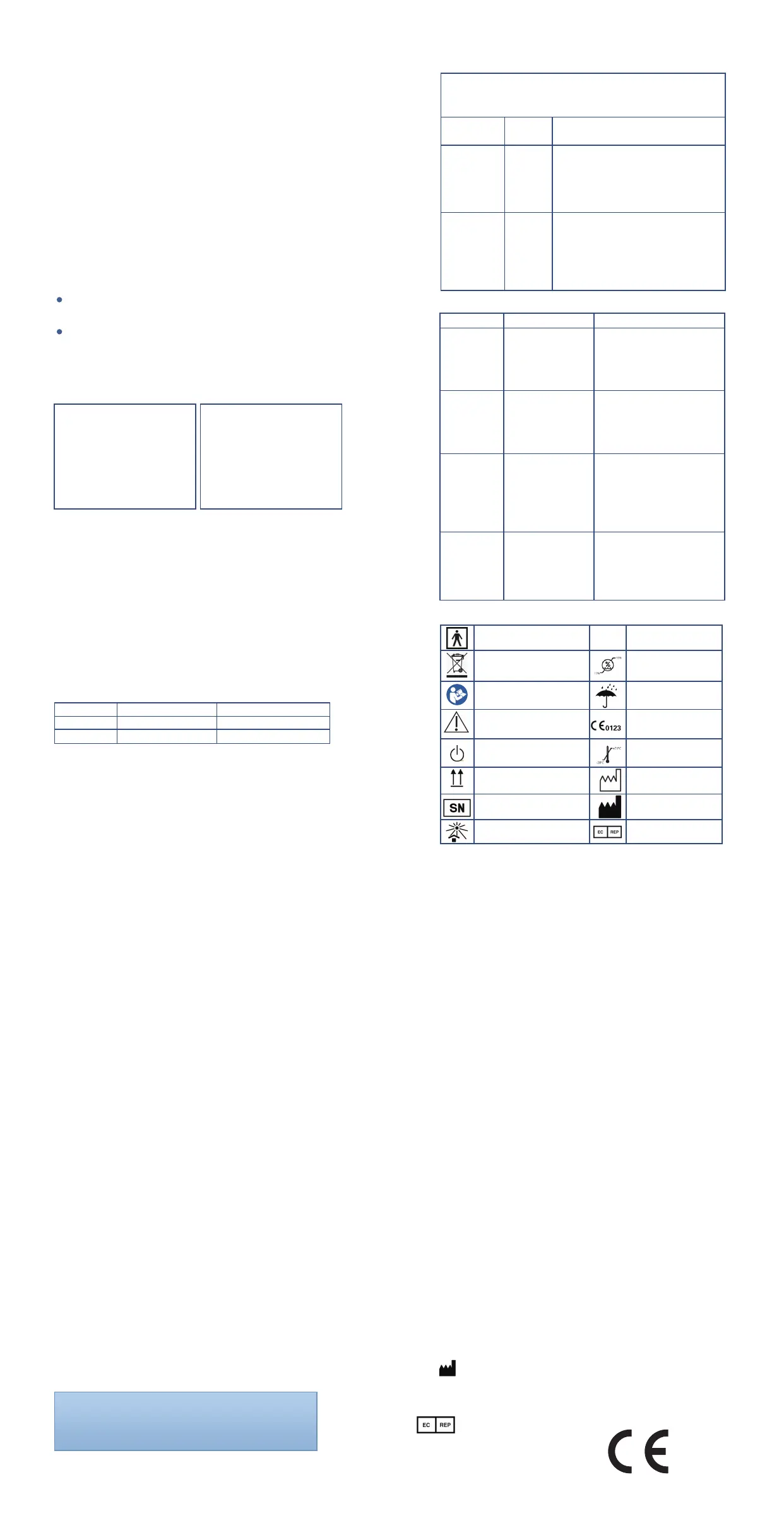
Symbols and Definitions
BF type
application part
IP degree
Serial number
Standby
Temperature range
Avoid sunlight
Up toward
Date of manufacture
Manufacturer
European union
representative
Humidity range
Keep dry
Product certification
Separate collection
Reference manual
Cautions
Reserves the right to technical change appearance, our products are
subject to change without prior notice, please forgive me!
1, Maintenance with data such as circuit diagram, components list, figure
and the detailed rules of correction, injection, available only to the repair
factory training qualified personnel and units.
2, The company can be in the form of email or other electronic files
provide users with random files.
3, The instrument is not used for evaluation of blood oxygen probe pulse
and pulse blood oxygen monitor accuracy.
● Please read user manual before using the instrument;
● According to the requirement of the instruction manual for the operation
and daily maintenance, and make sure the machine power supply, and
environmental requirements
Maintenance time
Monday to Friday 9 to 17:30pm, except for the national legal holiday
Maintenance regulations
●To conform to the regulations, free maintenance within the scope of
products, with warranty card for free maintenance.All that is beyond the
scope of free maintenance product, provide paid services.
● With warranty card and shopping invoice,main machine for a year,
accessories for three months are under free maintenance services from
the date of purchase.
● Following does not belong to the scope of free maintenance
The fault caused by human factors, the damage;
Due to the use to be inconsistent with the provisions of our company work
environment to cause damage;
Due to the product in the our company authorized personnel disassem-
bling or repairing damaged;
Products beyond the warranty period.
● If any problem,please call us in 9:00 am to 5:30 pm from Monday
to Friday(except national holiday),call us:400-828-6667
Statement:
After-sales service
Ensure that users
Prolinx GmbH
Brehmstr . 56 , 40239 , Duesseldorf
Germany
0123


 To Previous Page
 Loading...