17
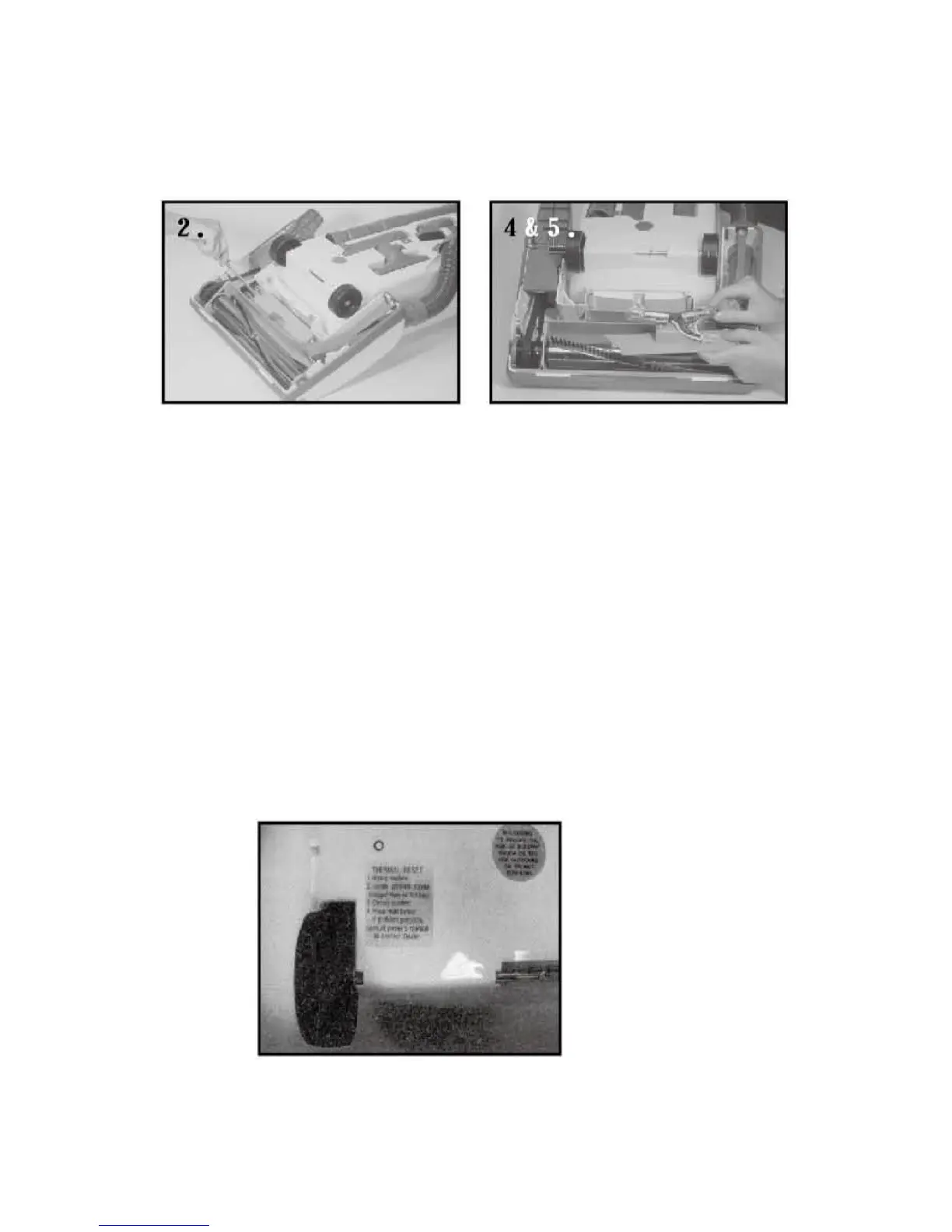
5. Replace with new bulb, turn clockwise.
6. Reinsert the headlight assembly back into the nozzle housing being careful
not to pinch or re-arrange any wires and insert the two frame screws.
7. Reinsert bottom plate making certain that the hinges are in place on the front
of the housing before sliding the two latches outward to fasten.
Resetting the Thermal Switch:
Model 7000
The Thermal Switch protects the motor from overheating. If the motor stops due to
prolonged use, follow steps 1-5.
1. Unplug the power cord.
2. Set power switch on handle to OFF position.
3. Wait about 10 min. to let the motor cool down.
4. Push the reset button lightly to the stop position.
5. Restart your vacuum cleaner.
Replacing the Drive Belt:


 To Next Page