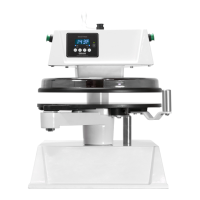
On the left side of the post collar
(#35) are back-to-back set
screws. Remove the first locking
set screw. Adjust stopping set
screw to align platen
*IMPORTANT* must reduce
air pressure to a minimum as not
to damaging closing platens. After
alignment is complete, re-install
locking set screw as not to move
the alignment set screw.
Underneath the housing there is
4 stacked hex bolts sitting over
the upper platen attached to the
arm. The top bolts are called
locking bolts. The 4 larger hex
bolts below are adjustment bolts.
Break free the 4 locking bolts.
With an open end wrench adjust
the bolts (1/8 turn at a time).
After testing, tighten the locking
bolts making sure not to move the
larger adjustment bolts.


 To Next Page